
How To Keep Your Workforce in the Loop with Custom Pulses
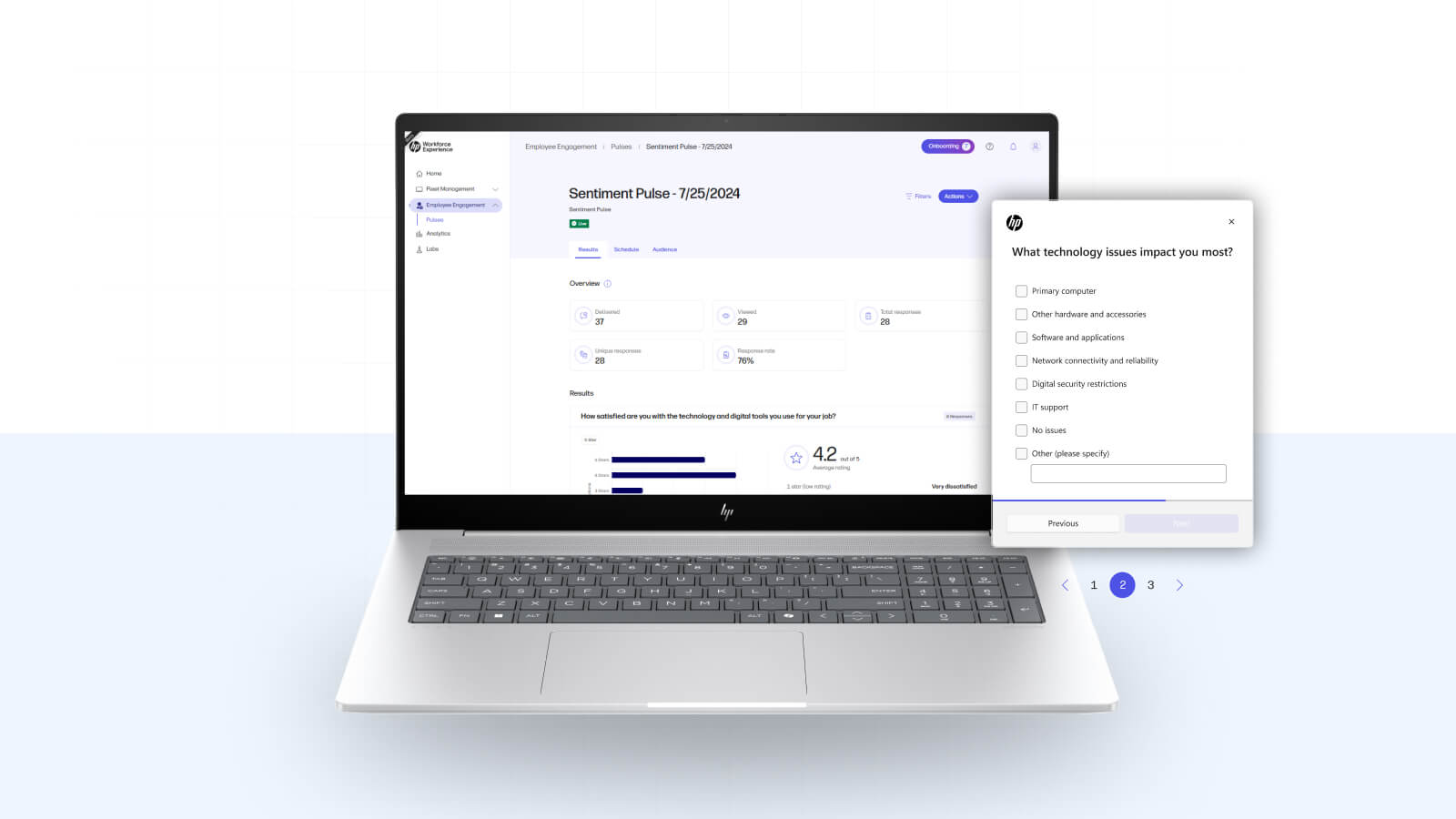
Today, workplace communication is inundated with emails, chat messages, and app notifications. Cutting through the noise to deliver urgent or critical updates and get employee feedback can be a challenge. The HP Workforce Experience Platform’s (WXP) Custom Pulse feature is a game-changing way to ensure employees see important notifications and surveys at the right time.
Types of pulses
There are two types of pulses you can send, which display as pop-ups on the bottom right of employees’ screens:
- Pulse notifications: Send critical messages to alert employees of IT outages or scheduled maintenance, ensuring immediate visibility.
- Pulse surveys: Allow quick feedback collection from employees, fostering two-way communication to guide better decisions.
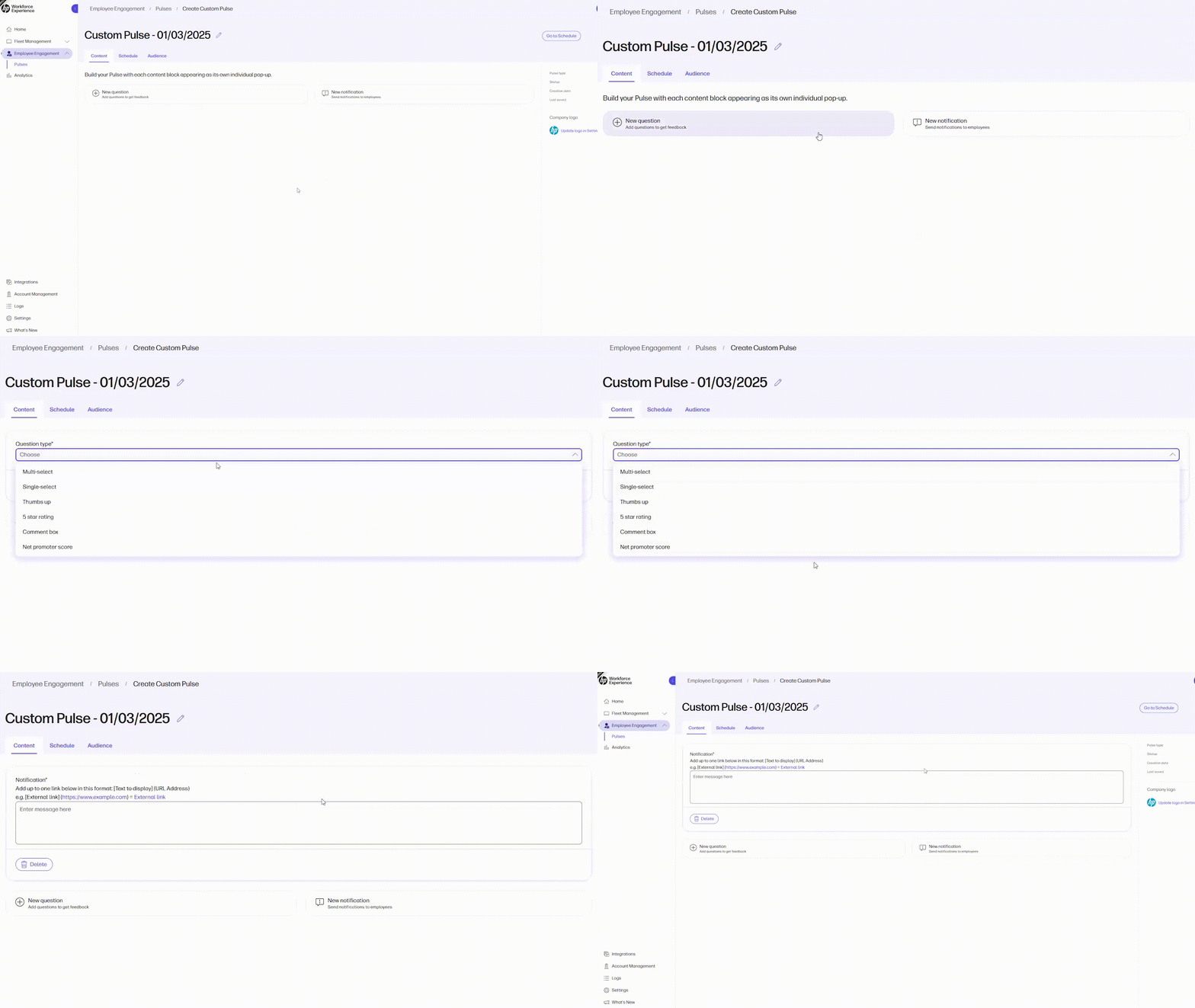
Pulse Notifications: Grabbing Attention Where It Counts
Pulse notifications display messages directly on employees’ screens using a system pop-up. Unlike traditional communication methods, such as email or collaboration apps, these pop-ups stand out, ensuring that employees see important updates immediately rather than miss them in overflowing inboxes or muted channels.
Timely and effective communication is the backbone of operational success. Whether it’s a software update, a change to security policies, or an adjustment to IT support processes, delays in communicating these changes can lead to confusion, frustration, or even downtime.
Pulse notifications minimize this by delivering important information directly to the right audience in a way that can’t be ignored. Additionally, pulses are automatically paused during focus periods, such as screen sharing or when the device is set to “Do Not Disturb,” ensuring that employees can stay focused without interruption.
Use cases: When every second counts
There are countless scenarios where quickly sending messages to employees about changes or updates will impact their day-to-day experience. Here are just a few examples of how pulse notifications can help your employees:
- Software rollouts: Use pulse notifications to inform employees about upcoming software updates, ensuring they’re prepared for any changes to their tools and workflows.
- Security policy changes: Cybersecurity is a top priority, and changes to security protocols—such as password policies or multi-factor authentication requirements—demand immediate attention.
- Software outages: Use pulse notifications to inform employees about known software outages. This ensures impacted individuals know about potential disruptions, allows them to plan accordingly, and reduces frustration from unexpected issues.
These examples highlight the versatility of pulse notifications in addressing real-world challenges that impact employees’ productivity and experience.
Pulse Surveys: Making Two-Way Communication Effortless
Pulse surveys are a fast, simple way to gather real-time employee feedback. Quickly collect responses by leveraging our Sentiment Pulse template and/or creating a Custom Pulse. Visuals, like a bar graph showing the number of responses out of sent surveys, help you quickly assess the response rate.
For comment-type questions, built-in AI streamlines the review process by summarizing thousands of responses and highlighting trending topics. This allows you to turn feedback into better decisions that continuously improve the employee experience.
Beyond the Inbox: Why Custom Pulses Work
Custom Pulses stand apart from traditional communication methods with features designed for impact. They are:
- Unmissable: The system pop-up captures attention.
- Targeted: You can tailor notifications and surveys to specific teams, departments, or individuals, reducing noise and increasing relevance.
- Time-sensitive: With immediate visibility, pulse notifications ensure that employees act on important information promptly.
Empowering Employees Through Clarity
By leveraging Custom Pulses, you can foster an environment where employees are always informed, aligned, and empowered. This feature not only ensures operational continuity but also demonstrates a commitment to clear and effective two-way communication.
In today’s fast-paced, digitally driven world, the HP Workforce Experience Platform’s Custom Pulses are the key to bridging the gap between urgency and understanding. Whether deploying new software or adjusting processes, this innovative feature ensures that no message gets lost in the shuffle.
Ready to enhance your workforce communication strategy? Discover the power of employee Custom Pulses today.
HP Workforce Experience Platform¹ is a comprehensive and modular digital employee experience solution that enables organizations to optimize IT for every employee’s needs.
Subscribe to the HP Workforce Experience Blog or schedule a consultation with our team to begin optimizing your IT capabilities today.
¹At launch, some advanced features require a subscription.
From the blog
The latest industry news, interviews, technologies, and resources.




Frequently asked questions
Here's everything you need to know about WXP.
- What is the HP Workforce Experience Platform (WXP)?
- How does WXP work?
- Can WXP be customized to fit specific business needs?
- How is WXP modular?
- Is WXP compatible with different vendors and operating systems?
- How does WXP integrate with other IT tools to provide a more comprehensive solution?
- What is a Workforce Experience score?
- How is AI used within WXP?
- How can I buy WXP and find out about new releases?
