
Introducing Fleet Explorer: A Big Leap Forward in Device Fleet Management
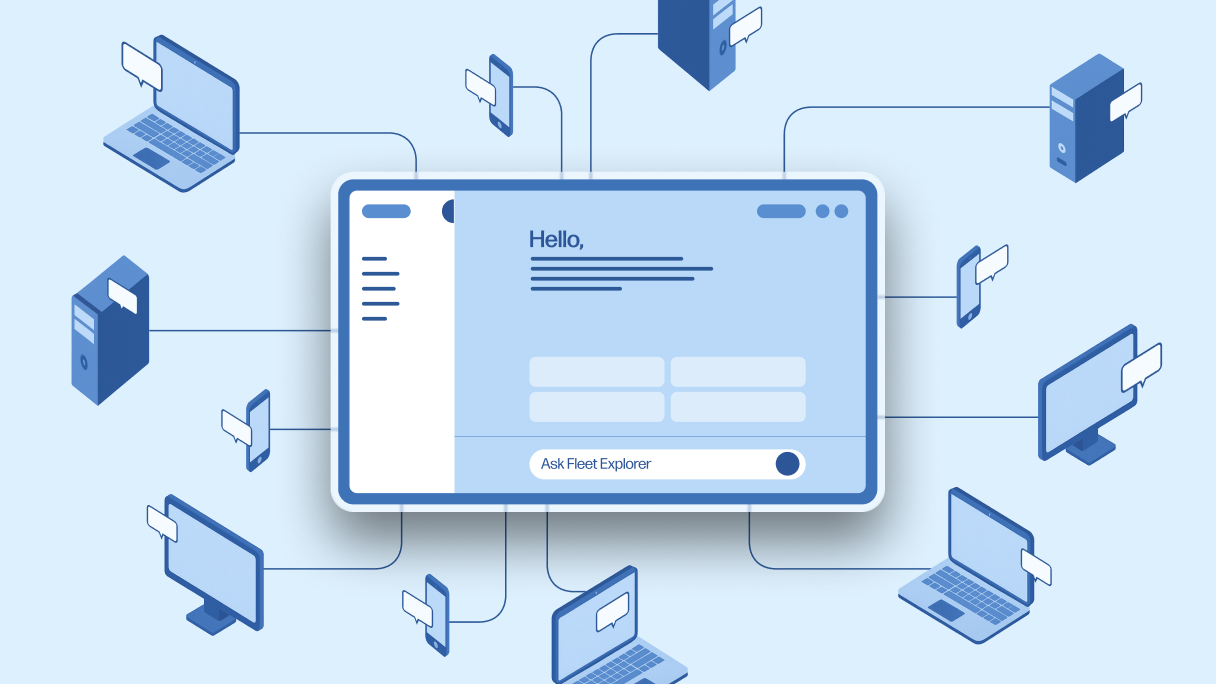
We’re launching a new natural language interface for device fleets, making it easier than ever to interact with and optimize endpoints at scale.
This article was first published on LinkedIn.
I’m excited to introduce Fleet Explorer, a breakthrough in how organizations manage device fleets in the HP Workforce Experience Platform (WXP). This innovation completely reimagines how IT engages with device data, making it quick and simple to get insights, identify issues, and complete remediations in real time.
Instead of navigating dashboards or digging through reports, IT admins can now ask questions in plain English and get clear, actionable answers in seconds. It’s a new kind of interface that goes far beyond simple chatbots by understanding context, learning from user interactions, and turning complex data into simple, guided actions.
For IT teams, fleet management is now conversational, intelligent, and human, creating a new type of relationship that provides far greater visibility and control over the digital employee experience (DEX).
Access Fleet Intelligence Through Natural Language
One of the biggest challenges in IT fleet management is sifting through data to find what truly affects employees. If an IT admin wants to drill down to a specific issue or understand performance trends, the current tools available make it harder, not easier, to find answers.
Most teams rely on static dashboards and reports or work with APIs that demand deep technical skills to uncover basic insights. DEX vendors may offer AI assistants or co-pilots, but they’re limited to searching or troubleshooting issues and answering surface-level questions. Getting to the real story, like hidden patterns and correlations, still takes hours of manual work.
That’s why we built a completely new, fully functional interface that connects directly to WXP, giving IT teams the ability to ask, analyze, and act—all in one place.
Here’s how it works…
Multi-agent orchestration
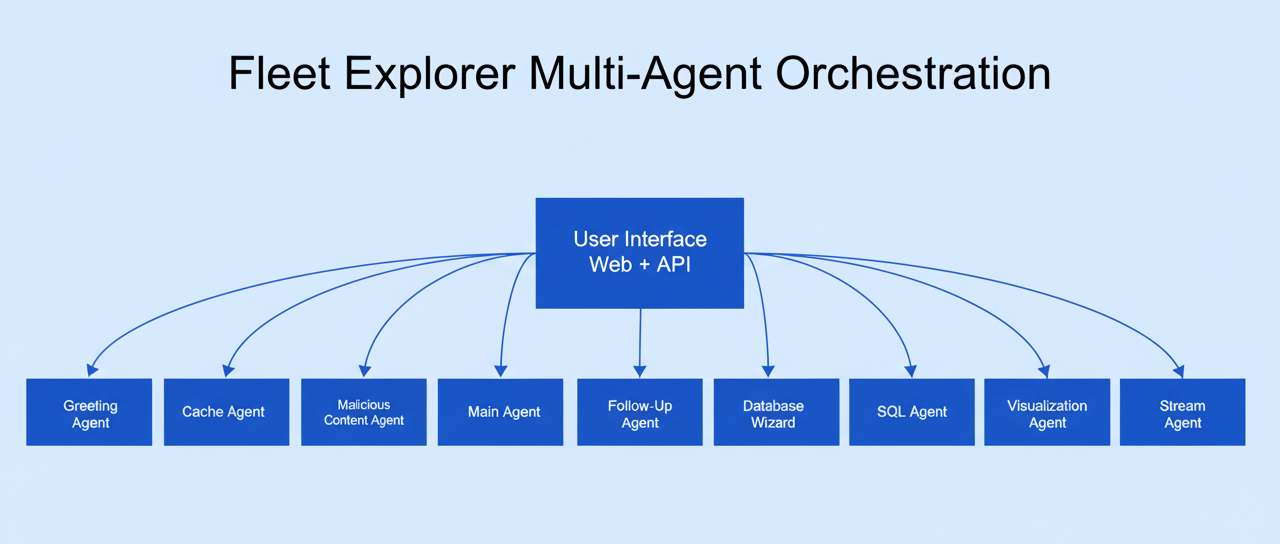
We built Fleet Explorer from the ground up to be a sophisticated multi-agent orchestration system, with nine specialized agents that work in parallel, each with a specific role:
- Main Agent: Acts as the central coordinator, routing each request to the right specialized agent.
- Malicious Content Agent: Performs real-time security screening to detect and block unsafe or unauthorized inputs.
- Greeting Agent: Welcomes users, sets the session context, and personalizes the experience from the start.
- Cache Agent: Optimizes performance by matching similar queries and reusing recent results.
- Database Wizard: Orchestrates data retrieval and generates relevant business insights from complex datasets.
- SQL Agent: Converts natural language questions into SQL queries that target the right telemetry data with full tenant awareness.
- Visualization Agent: Creates clear, interactive charts and stores them securely for quick access.
- Stream Agent: Enables real-time engagement and progress updates so users can see results as they happen.
- Follow-Up Agent: Keeps track of past interactions, ensuring personalized, continuous conversations.
With these agents working together, users can simply use natural language to manage enterprise device fleets at scale. They can also generate new insights directly from raw telemetry data while getting fast, accurate, and secure responses.
Intelligent personalization
Another key capability of Fleet Explorer is its ability to learn and adapt to each user. It remembers context, preferences, and past questions, so every session feels like a continuation from the last interaction.
When an admin logs in, Fleet Explorer understands their environment, recurring issues, and priorities. It anticipates needs, suggests relevant prompts, and highlights critical insights.
Over time, it provides more personalized experiences for each user. By understanding how they work and what they care about, Fleet Explorer can adapt and tailor its responses to deliver more engaging interactions, stronger collaboration, and more personalized assistance that meets each user’s needs and preferences.
Addressing hallucinations and other challenges
AI models hallucinate when they generate information that is not based on real data or facts. Unfortunately, there is no magic switch to turn hallucinations off. OpenAI recently stated that true accuracy can never reach 100%, but models can reduce hallucinations when they recognize uncertainty and are rewarded for saying “I don’t know” instead of guessing.
In Fleet Explorer, the agents don’t try to invent responses. If someone asks for data we don’t store, the Malicious Content agent disqualifies the question, explains why the data isn’t available, and suggests a valid alternative.
We also minimize hallucinations through continuous testing, feedback, and iteration. When they happen, we reverse engineer the cause, fix it, and ensure it doesn’t happen again. Each round of improvements makes the model more stable and accurate. More importantly, we include clear warnings and require human approval for actions, ensuring there’s always a human “in the loop” for every decision.
The Future of Fleet Intelligence
Fleet Explorer represents the next evolution of fleet intelligence. For the first time, IT teams can use a simple conversational interface to ask questions, uncover issues, and take action, transforming how they manage their device estates. What once took hours of manual analysis now happens in seconds through natural conversation, marking a new era in proactive, intelligent fleet management.
Fleet Explorer is currently available to a select group of users as part of our continuous improvement process. Their feedback is helping refine performance, enhance reliability, and shape how the experience scales across environments. Contact us to learn how Fleet Explorer can help your IT team simplify fleet management.
HP Workforce Experience Platform is a comprehensive digital employee experience solution that enables organizations to optimize IT for every employee’s needs.
Discover how it can transform your IT operations from a cost center to a business accelerator. Simply fill out the form below, and our team will be in touch soon.
From the blog
The latest industry news, interviews, technologies, and resources.






Frequently asked questions
Here's everything you need to know about WXP.
- What is the HP Workforce Experience Platform (WXP)?
- How does WXP work?
- Can WXP be customized to fit specific business needs?
- How is WXP modular?
- Is WXP compatible with different vendors and operating systems?
- How does WXP integrate with other IT tools to provide a more comprehensive solution?
- What is a Workforce Experience score?
- How is AI used within WXP?
- How can I buy WXP and find out about new releases?
