
Smart Security Starts Here: WXP with HP Protect and Trace
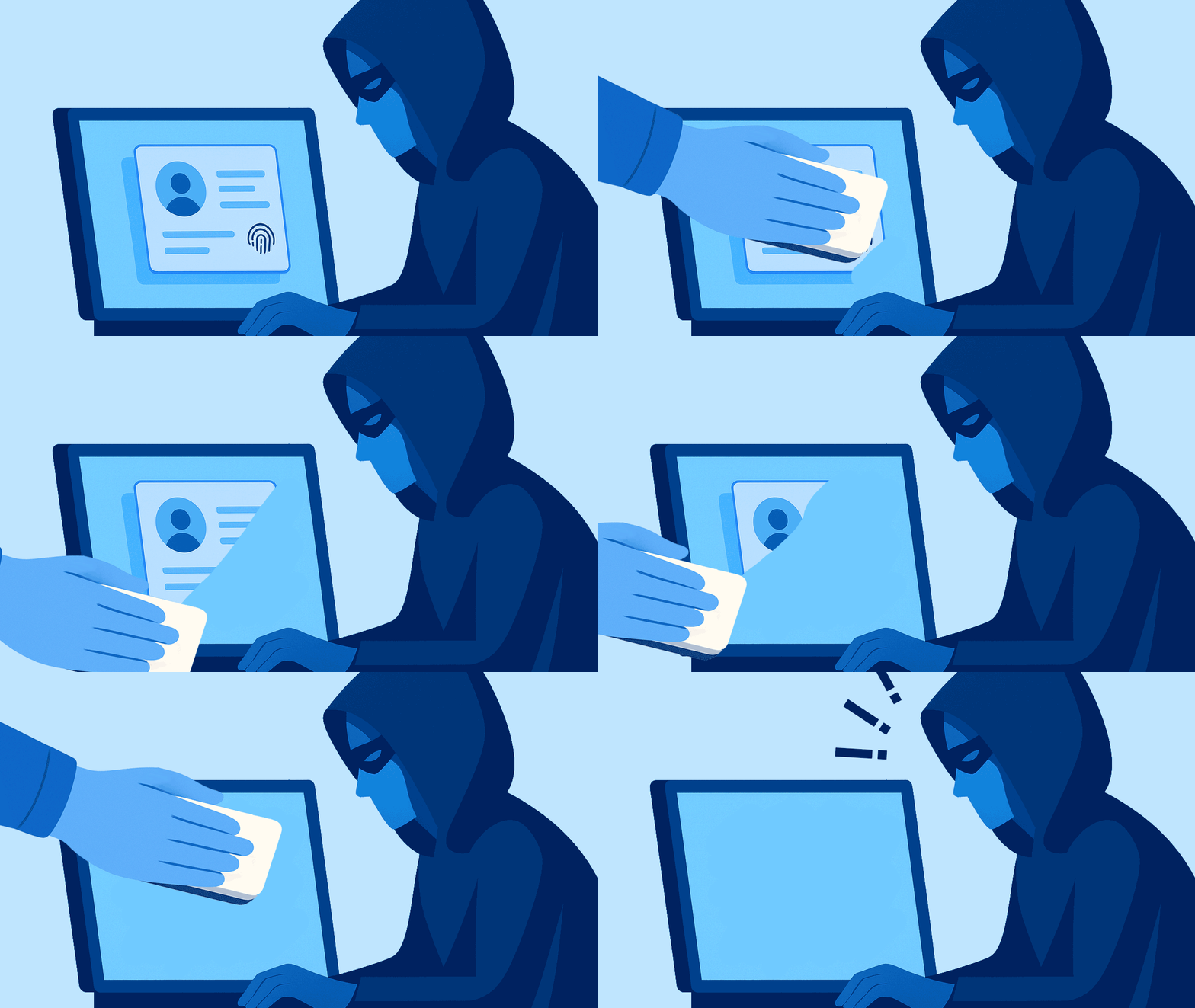
Locate, Lock, and Erase Lost PCs Quickly from Within WXP, Mitigating the Risk of Unauthorized Access and Data Loss
If you asked the average person how they think identity theft and data breaches happen, they’d likely paint a scenario involving remote hackers penetrating a network with passwords harvested from the dark web. But we often overlook the more basic ways in which bad actors gain access to networks and data.
According to a 2023 report from Forrester (quoted in Security Week), 17% of data breaches are the result of device theft or loss. While replacing a device may be straightforward, dealing with the aftermath of that device being used to access an organization’s proprietary information is far more difficult and can be exponentially more expensive. In the event of a device loss or theft, you need to respond quickly, and logging into a separate device management platform is a waste of valuable time.
HP Protect and Trace adds security to your device fleet, enabling you to find, lock and erase a PC that has been reported missing. HP Workforce Experience Platform1 customers with Protect and Trace enabled devices can view and manage those devices right from the WXP dashboard.
Wolf Connect2 provides an additional layer of protection. HP Protect and Trace with Wolf Connect enables IT to manage and protect remote PCs, even when disconnected from the Internet or powered down. Available with select HP PCs at time of order, Wolf Connect uses cellular technology that provides global coverage through a unique HP service, allowing IT to find, lock and erase PCs worldwide.
React Quickly to Prevent Data Breach
Protect and Trace functions are available in the same UI, share the same device repository, and are tightly integrated with WXP functions. This consolidation of endpoint management and security streamlines your workflow by avoiding console switching, enabling a quicker response to device loss or theft.
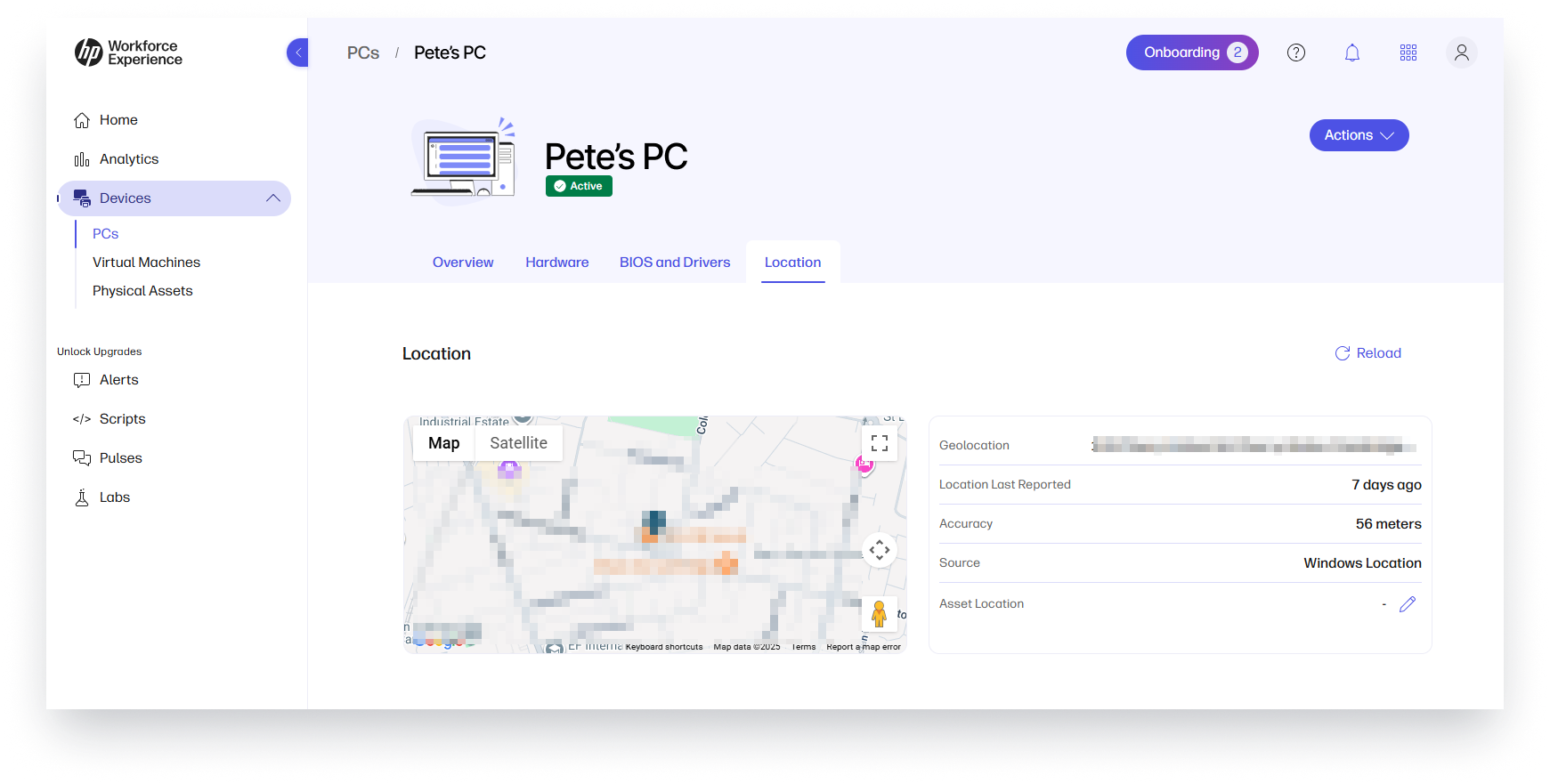
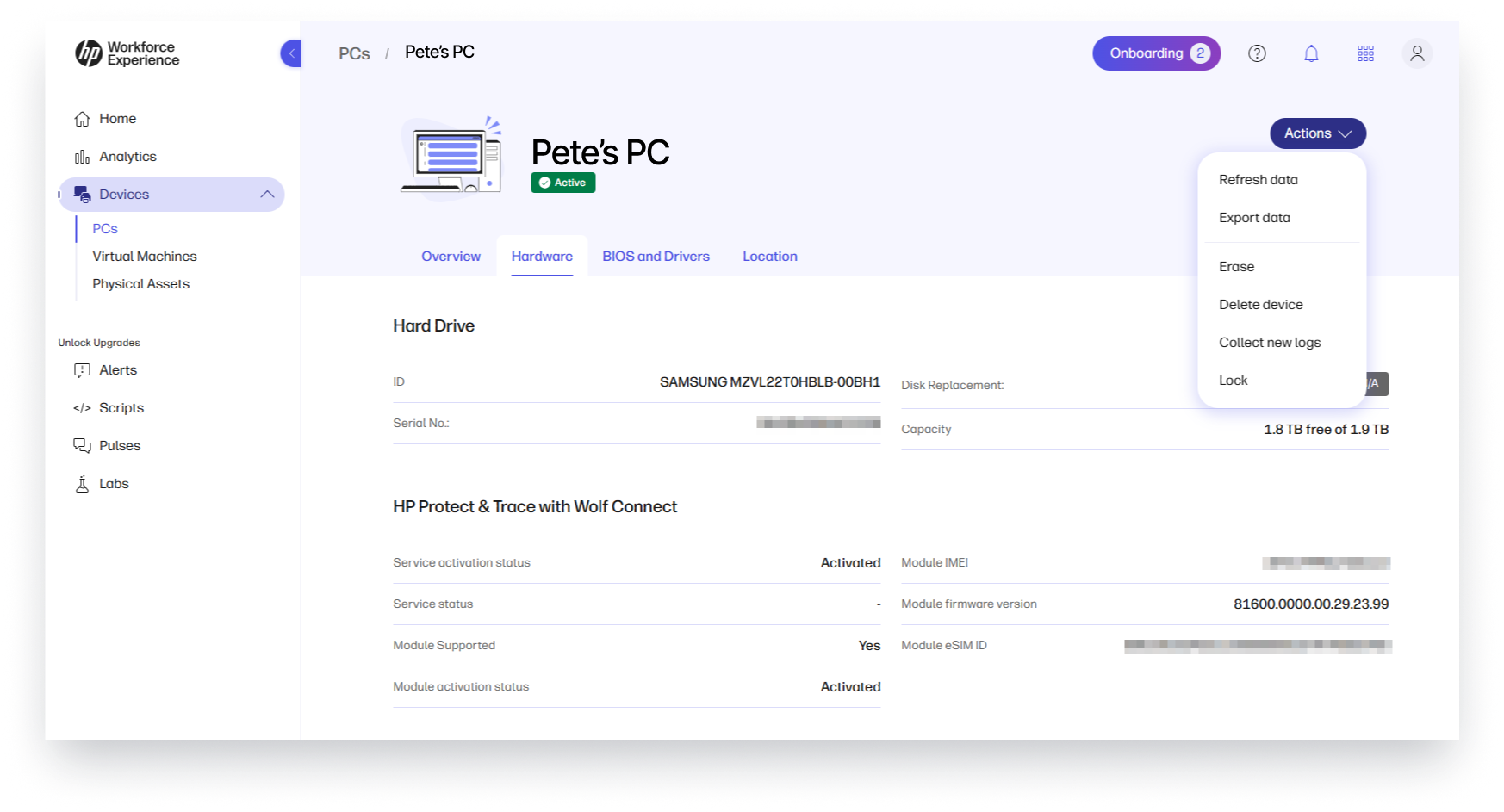
IT can take immediate action to protect the device and data, reducing the risk of sensitive data loss. From the WXP device details view, you can see the last known location of the affected PC and issue Lock and Erase commands. The Lock command executes below the BIOS, securing sensitive data and preventing the PC from being re-imaged. This also helps with auditing and compliance, since control objectives can be met as efficiently and consistently as possible.
Manage Protect and Trace Licenses with WXP
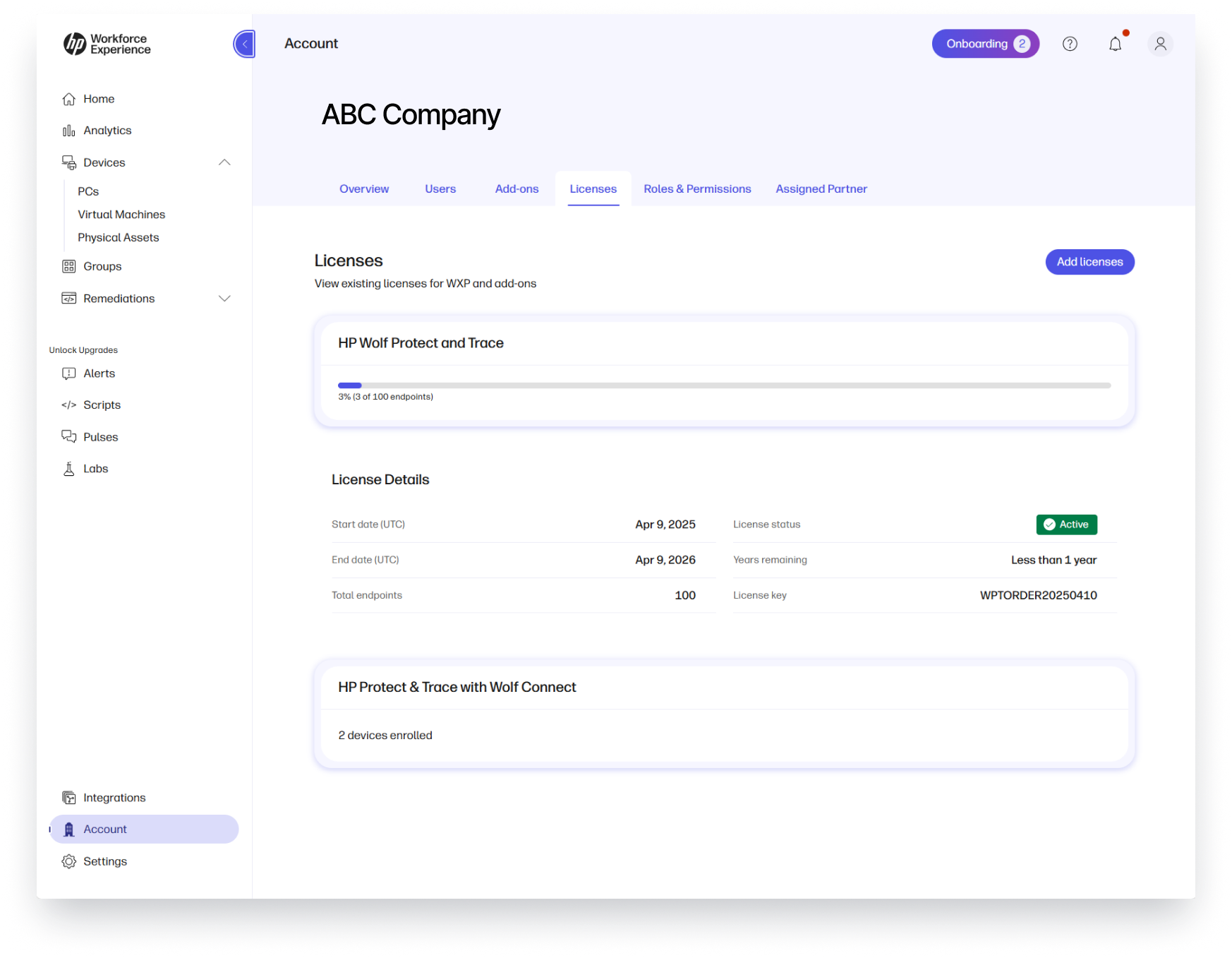
HP Protect and Trace and HP Protect and Trace with Wolf Connect plans are visible in WXP under Account details in the Licenses tab. When Protect and Trace plans are added to your WXP tenant and assigned to your devices, you will see an additional column in your devices view titled “HP Wolf Protect and Trace” and device status will include Protect and Trace related values.
Step Up Your Security with WXP Plus Protect and Trace
A digital employee experience (DEX) platform without a solution for loss or theft leaves organizations vulnerable to network and data breaches. Save valuable time and resources by integrating loss management within WXP, so you can work from the same platform when the pressure is on to mitigate security risks as quickly as possible. Are you interested in adding Protect and Trace to your fleet management? Contact your HP sales representative or contact us via the form below.
Additional Resources
Protect & Trace: Finding Devices with the Workforce Experience Platform
Disclaimers
- HP Protect and Trace and HP Protect and Trace with Wolf Connect are available as add-on plans for WXP that require purchase of a separate license. The Workforce Experience Platform (WXP) is available in various tiers and with optional add-on solutions in various term licenses. WXP is for commercial customers and some features and capabilities may require additional purchases of HP services and/or commercial hardware capable of supporting the HP Insights agent for Windows, Mac, & Android.
- Wolf Connect Service not available in all countries. Other restrictions and limitations apply, please see https://www.hpwolf.com/en/legal/ptwc/countries for complete details and requirements. Products with only an MNB card support Wolf Connect service through the subscription term, but do not support mobile broadband use. For a list of platform SKUs available with HP Protect &Trace with Wolf Connect, see https://www.hpwolf.com/en/legal/ptwc/platforms. HP Protect &Trace with Wolf Connect requires Internet access and downloading of the HP Insights Agent for Windows at https://admin.hp.com/software. The agent collects telemetry and analytics around devices and applications that integrate into the Workforce Experience platform. Internet access with connection to the Workforce Experience platform is required.
From the blog
The latest industry news, interviews, technologies, and resources.







Frequently asked questions
Here's everything you need to know about WXP.
- What is the HP Workforce Experience Platform (WXP)?
- How does WXP work?
- Can WXP be customized to fit specific business needs?
- How is WXP modular?
- Is WXP compatible with different vendors and operating systems?
- How does WXP integrate with other IT tools to provide a more comprehensive solution?
- What is a Workforce Experience score?
- How is AI used within WXP?
- How can I buy WXP and find out about new releases?
