
WXP Collaboration Makes Meetings Work Better
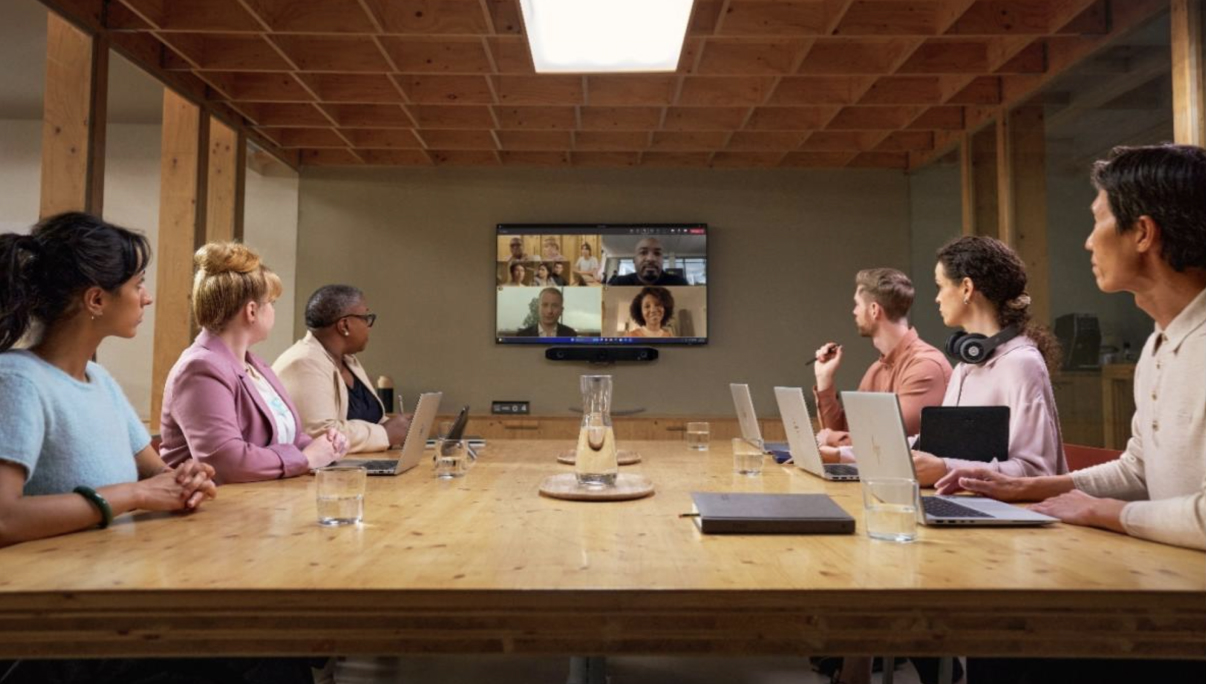
A new WXP module helps reduce digital friction for more effective collaborative experiences and improves ROI with actionable data on space usage.
There’s no getting around it, meetings are expensive. Between the human resources involved, the space designated for meetings, and the additional investments in technologies like conferencing equipment and software, the cost of collaboration is significant. Disruptions to the effectiveness of those meetings can accrue directly against the bottom line. And that’s before even considering the impact on the employee experience when technical distractions affect their communication and productivity.
Recognizing the challenges, we’re pleased to introduce WXP Collaboration, an integrated HP Workforce Experience Platform (WXP)1 module that provides IT teams with the ability to proactively manage collaboration spaces and technologies.2 WXP Collaboration is built on the HP Vyopta technology used by leading Fortune 500 and Global 2000 organizations, large government agencies and HP’s own Managed Collaboration Services teams. It offers analytics designed to help simplify troubleshooting, pre-empt meeting disruptions, improve the meeting experience for employees, and optimize the usage of collaborative spaces, equipment, and applications.
WXP Collaboration collects and standardizes data across a vast base of applications, platforms and devices, providing an integrated workflow to manage collaboration spaces and technology from a single pane of glass.
Take the Digital Friction out of Collaboration
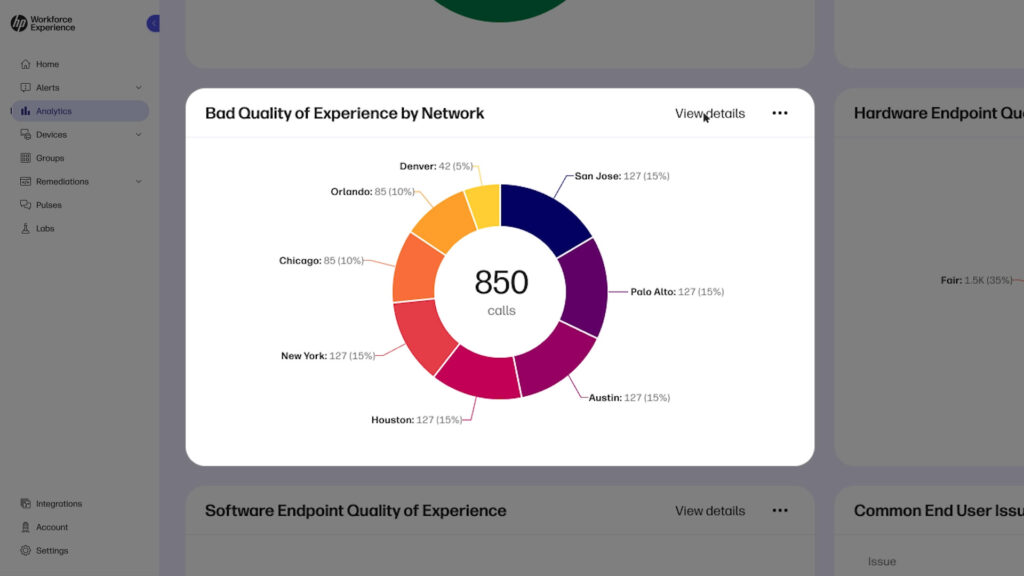
WXP Collaboration measures and monitors the overall employee experience of your collaboration estate, including the performance of communications equipment like video and audio endpoints, networks, and applications. It provides helpful analytics into meeting quality by location for both remote and in-office workers, insights into the performance of corporate networks, and device health trends for both the room systems and individual PCs within a meeting.
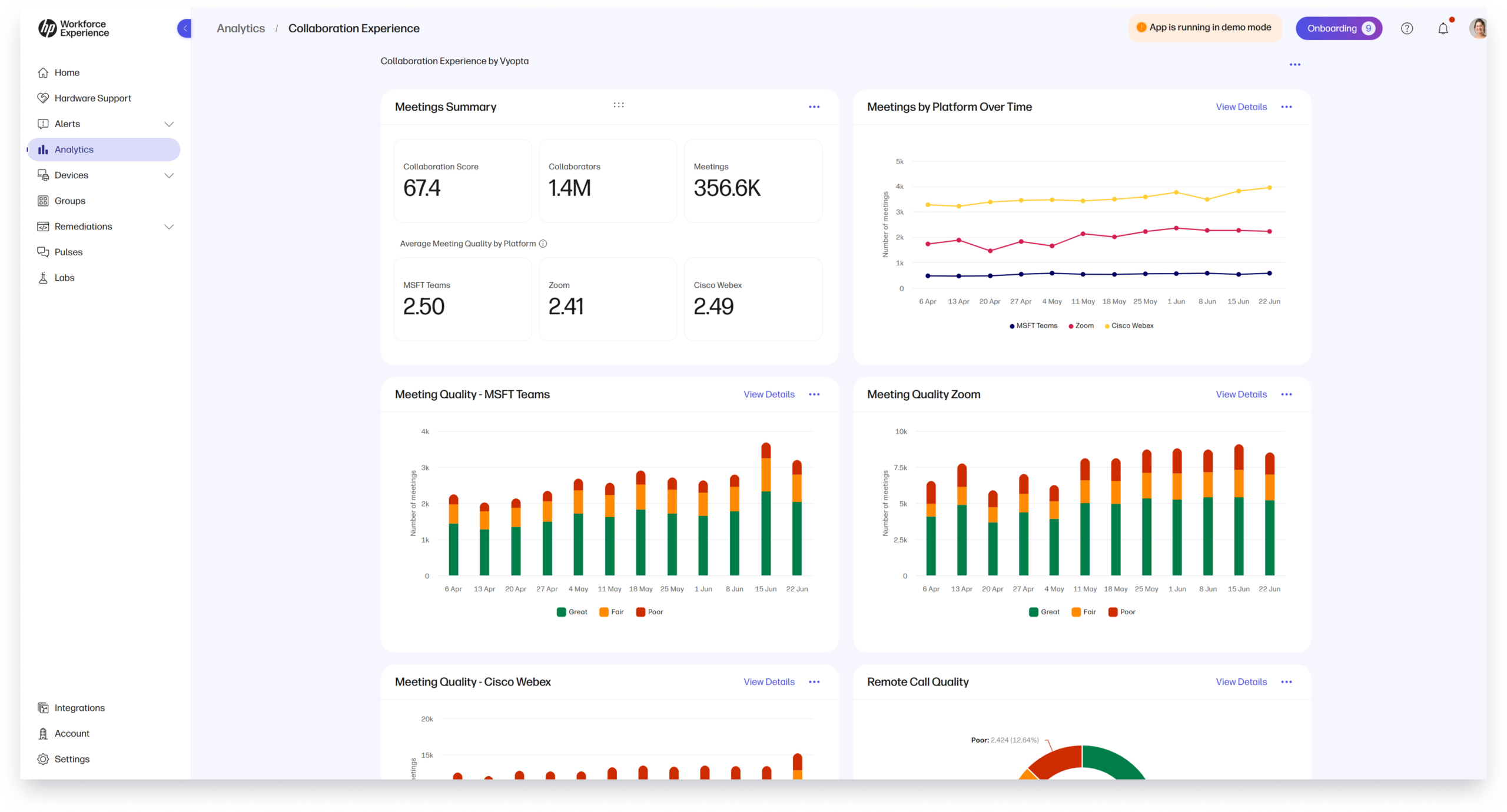
All of this is presented in a helpful dashboard within WXP, providing the context you need to identify and resolve issues, sometimes even before they disrupt a meeting. WXP Collaboration uses machine learning and advanced diagnostic capabilities to provide insight into the root cause of issues, reducing the mean-time-to-resolution.
Gain Insight to Support Meeting Space Investment Decisions
While support and troubleshooting collaboration spaces is a compelling use case in itself, it’s only the beginning of what WXP Collaboration can contribute toward supporting your teams in collaborating more effectively. Next to human resources, the investments made in collaboration spaces and their enabling technologies are some of the largest and most significant for most organizations. And frankly, getting it right is hard.
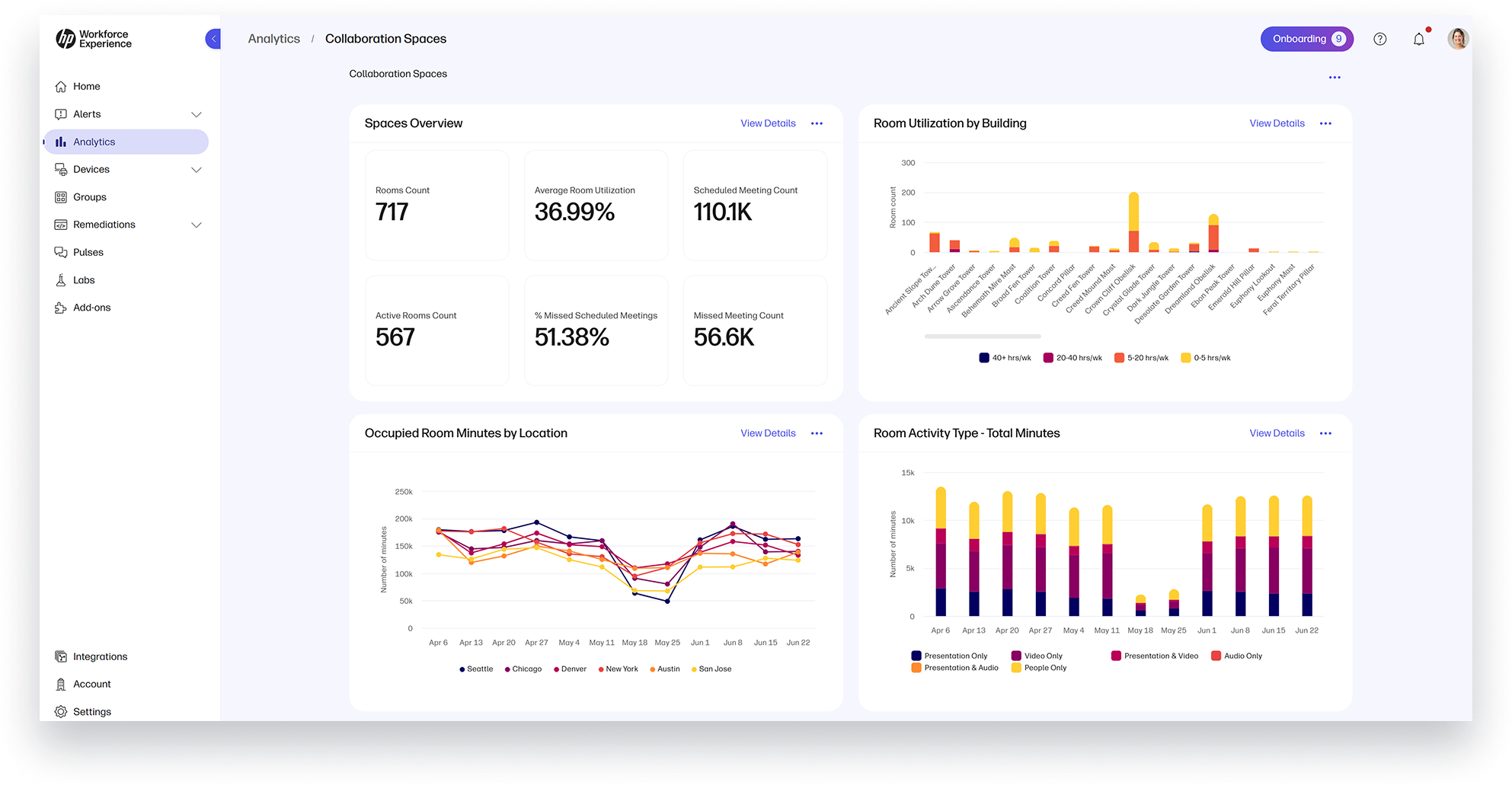
As companies widen their return-to-office mandates, many are finding that the space planning done even six or seven years ago is no longer working for the type of organization structure and daily patterns their teams are running now, but the reliable data needed to determine what to change can be elusive. The Space Insights dashboard can save you from making expensive reconfiguration decisions based only on gut feelings and a smattering of employee complaints.
The Space Insights dashboard provides information about when and how a space is used, enabling both IT and facilities teams to make more informed decisions about whether rooms are sized, placed, and equipped appropriately for their actual use. It helps you answer questions about how often a room is occupied, whether its capacity lines up with its typical use, and how the room’s technology is being employed.
Collaborate Better
Ready to shift to proactive management to improve meeting experiences for your organization and use your collaboration spaces more effectively? Contact your HP representative or fill out the form below to learn more about WXP Collaboration.
Too much on your plate already? If you are looking for help with room design, implementation and ongoing management, visit HP Managed Collaboration Services3 to learn how we can augment your team, using WXP Collaboration either with you or for you to ensure you’re getting the best return on your collaboration investments.
Additional Resources
WXP Collaboration – HP Workforce Experience Platform
Disclaimers:
- The Workforce Experience Platform (WXP) is available in various tiers and for multiple term license durations, and some features require optional add-on solutions. WXP is for commercial customers and some features and capabilities may require additional purchase of HP services and/or commercial hardware capable of supporting the HP Insights agent for Windows, Mac, & Android. WXP is ISO27001, ISO27701, ISO27017 and SOC2 Type2 certified for Information Security. Activation and restrictions may apply. Select HP solutions require an HP Insights agent for Windows, Mac, & Android, available for download at https://workforceexperience.hp.com/software. For full system requirements and services that require the agent, please visit https://workforceexperience.hp.com/requirements. The agent collects telemetry and analytics around devices and applications that integrate into the Workforce Experience Platform. Internet access required. WXP Collaboration license required for audio and video collaboration technology monitoring. HP Anyware license or compatible third-party virtual machine license required for virtual machine monitoring. WXP Print Management capabilities are available to select beta customers in the US only. WXP Print Management is planned to be available in a future release in various tiers as an add-on solution in various term licenses.
- WXP Collaboration license required for audio and video collaboration technology monitoring.
- HP Managed Collaboration Services includes hardware, repair services, and analytics components and may include financing. HP Managed Collaboration Services requirements may vary by region. Please contact your local HP Representative for specific details in your location. HP services are governed by the applicable HP terms and conditions of service provided or indicated to Customer at the time of purchase. Customer may have additional statutory rights according to applicable local laws, and such rights are not in any way affected by the HP terms and conditions of service or the HP Limited Warranty provided with your HP Product.
From the blog
The latest industry news, interviews, technologies, and resources.




Frequently asked questions
Here's everything you need to know about WXP.
- What is the HP Workforce Experience Platform (WXP)?
- How does WXP work?
- Can WXP be customized to fit specific business needs?
- How is WXP modular?
- Is WXP compatible with different vendors and operating systems?
- How does WXP integrate with other IT tools to provide a more comprehensive solution?
- What is a Workforce Experience score?
- How is AI used within WXP?
- How can I buy WXP and find out about new releases?
