
HP Integrates WXP with Microsoft Security Copilot to Deliver Enhanced Device Insights

Combining the HP Workforce Experience Platform (WXP) with Microsoft Security Copilot simplifies proactive IT asset management and delivers a better digital employee experience.
IT budgets for 2025 were set to soar 9.8% from 2024 levels, with CIOs expecting to pour money into critical IT priorities like security and risk management, artificial intelligence (AI), and automation. However, with costs rising and a global shortage of skilled talent, corresponding improvements in service delivery won’t automatically follow the increase in investment.
Faced with the task of managing increasingly complex digital environments, IT teams need powerful solutions that enable them to maximize their own efficiency while reducing digital friction and delivering a seamless work experience to employees.
Bridging challenges with innovation
To help organizations tackle these hurdles, we’re excited to announce that the HP Workforce Experience Platform (WXP) now integrates with Microsoft Security Copilot, combining our platform’s proactive fleet management and employee engagement capabilities with a powerful generative AI-powered assistant for security and IT.
IT teams dealing with security threats need information fast – they don’t have time to switch between multiple platforms to get the full picture of what is happening within their device ecosystem. Integrating WXP data into Microsoft Security Copilot provides them with a broader view of their device information, easily accessible via natural language queries, so they can respond quickly.- Masooma Naqvi, Vice President of Product Management, HP Digital Services
Once implemented, IT teams can use generative AI prompts from within Microsoft Security Copilot to gain insights provided by WXP into device performance and usage data. This can help identify and diagnose issues faster, potentially reducing downtime and disruptions for employees.
What Is Microsoft Security Copilot?
Microsoft Security Copilot is a generative AI-powered security solution. It enhances the efficiency and capabilities of security professionals, enabling them to improve security outcomes at machine speed and scale.
The product provides a natural language, assistive experience to support various end-to-end scenarios such as incident response, threat hunting, intelligence gathering, and posture management.
How the Security Copilot Integration Works
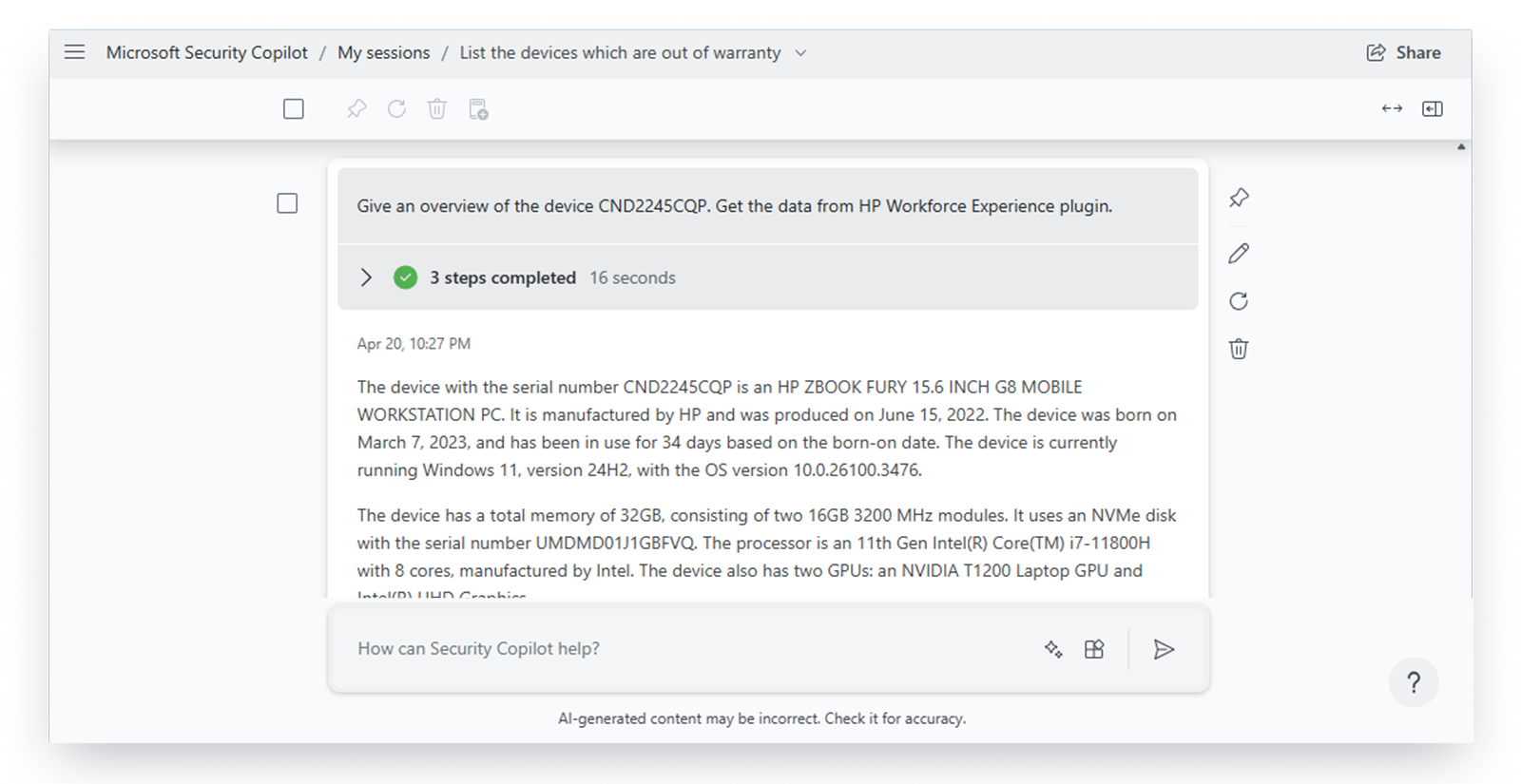
The integration between WXP and Microsoft Security Copilot establishes a seamless connection that enables data from WXP to be queried and utilized from within Microsoft Security Copilot. IT teams can use simple natural language prompts, cutting out manual processes and reducing the time it takes to resolve issues and make decisions.
For example, a prompt like “Give me all details of device x” will surface a comprehensive report that includes the device’s warranty status, update readiness, resource consumption, and more. This streamlined access to critical information allows IT teams to act more quickly, enhance device performance, and lower the risk of downtime for employees.
Users can also use prompts for various other insights, including:
- Warranty assessment – to quickly identify devices nearing the end of their warranty period.
- Windows 11 readiness check – to evaluate which devices meet upgrade requirements or those which may meet requirements but fail to successfully upgrade due to other issues.
- Resource consumption check – to monitor CPU, memory, and disk usage for signs of performance degradation.
- Device age/stability and health check – to prioritize maintenance for older or less stable devices.
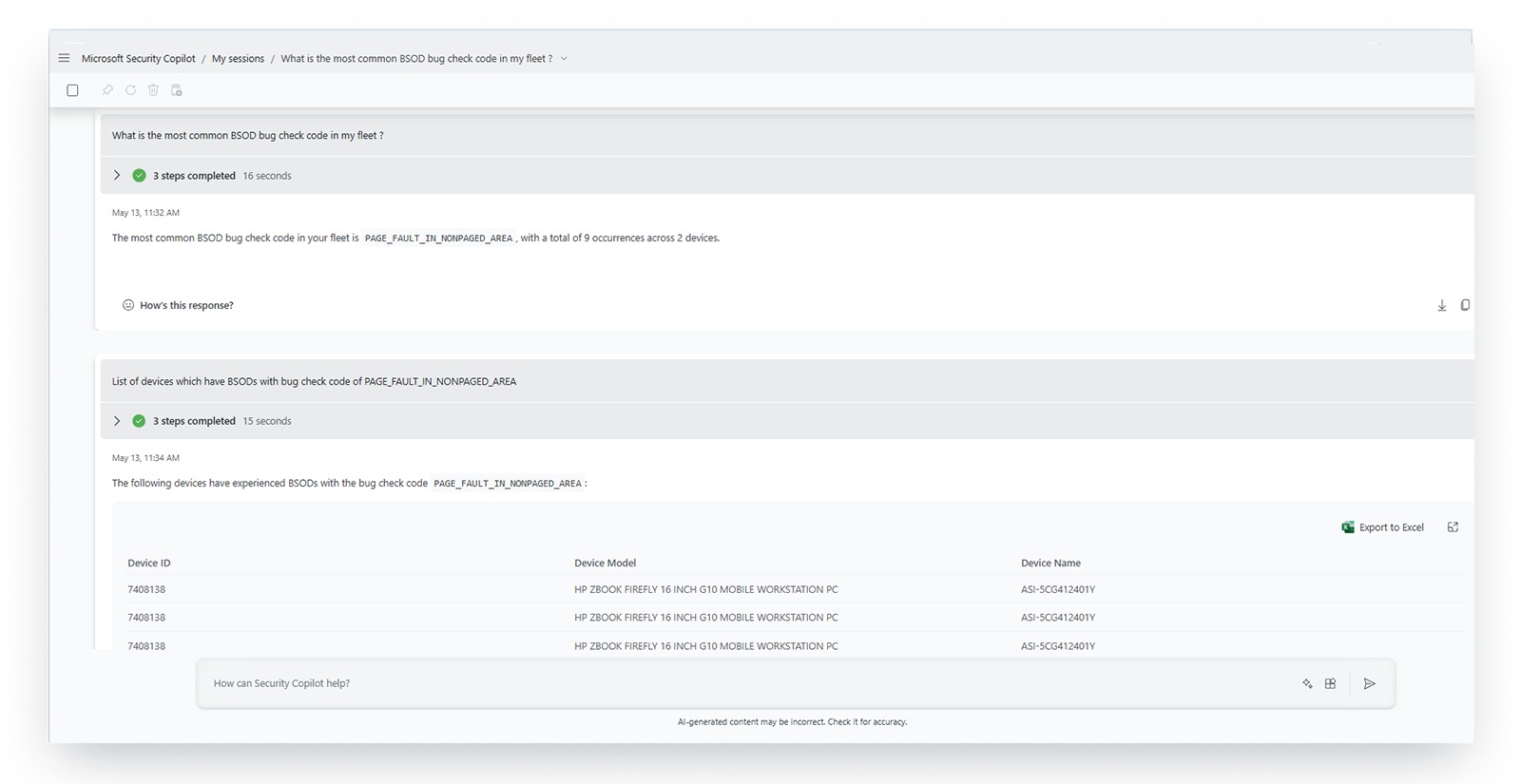
- BSOD timelines and root cause investigation – to troubleshoot blue screen issues.
- Application performance, hangs, and crash details – to diagnose software-related disruptions.
Empowering IT and Transforming the Employee Experience
The integration of WXP with Microsoft Security Copilot offers IT teams a unified interface enriched with deeper device insights. This enables faster, more comprehensive responses to security risks—helping to mitigate or even prevent incidents that could disrupt employee productivity and satisfaction.- Dorothy Li, Corporate Vice President of Microsoft Security Copilot and Ecosystem
This integration merges two powerful solutions to provide tangible benefits for IT teams, including:
- Unified insights: Use WXP’s device and fleet data alongside Microsoft Security Copilot’s AI-driven analysis to uncover actionable insights across users, devices, and apps.
- Faster incident response: Respond to security incidents faster with AI-generated context and guidance, dramatically reducing the time it takes to resolve issues.
- Proactive risk mitigation: Anticipate and address vulnerabilities across IT fleets with predictive insights from the combined platforms.
- Improved employee experience: Minimize disruptions and ensure seamless device performance while getting more from their IT investments.
By combining powerful AI-driven insights with streamlined workflows, this integration simplifies proactive IT asset management, enabling IT teams to focus on driving innovation while employees benefit from less digital friction and a better overall experience.
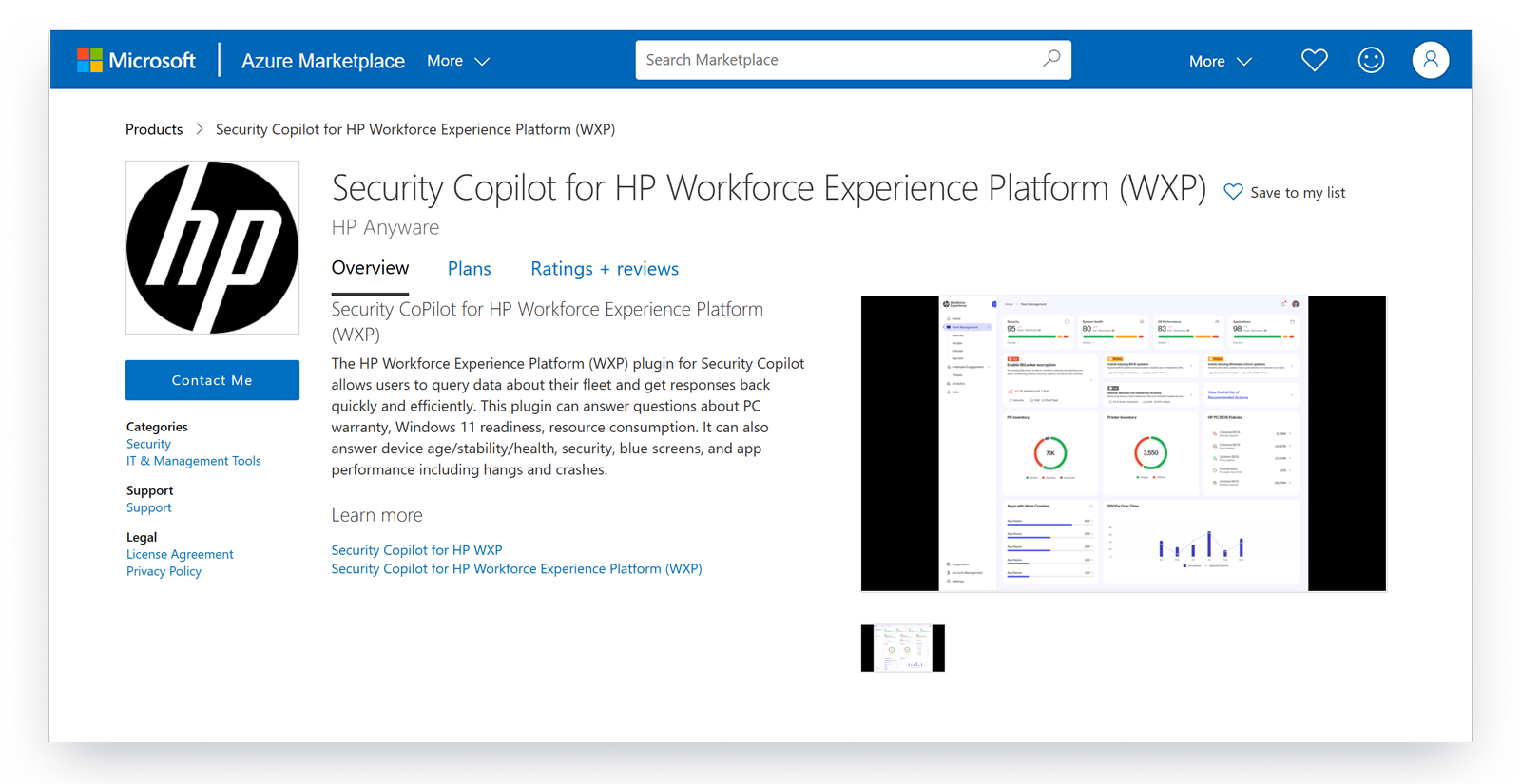
This plugin is now available for U.S. customers from within Microsoft Security Copilot Plugins gallery and in the Microsoft Azure Marketplace.
Subscribe to our blog or schedule a consultation with our team to begin optimizing your IT capabilities today.
From the blog
The latest industry news, interviews, technologies, and resources.





Frequently asked questions
Here's everything you need to know about WXP.
- What is the HP Workforce Experience Platform (WXP)?
- How does WXP work?
- Can WXP be customized to fit specific business needs?
- How is WXP modular?
- Is WXP compatible with different vendors and operating systems?
- How does WXP integrate with other IT tools to provide a more comprehensive solution?
- What is a Workforce Experience score?
- How is AI used within WXP?
- How can I buy WXP and find out about new releases?
