
Data Where You Need it: Integrate WXP Into Your Tech Stack

Integrating WXP into other platforms and applications can provide the extra edge you need to both streamline operations and deliver on strategic initiatives.
Fifteen years after Apple built a whole marketing campaign around “There’s an app for that,” the last thing most IT leaders want is another app. Another portal, another onboarding process, another set of logins and authentications, another dashboard presenting data in another format—it’s all too much, we get it.
That said, at a time when CIOs are evolving their roles to drive more business value than ever before, success depends on ensuring your organization has the data needed to drive digital transformation, whether that’s to meet employee experience, customer experience, operational efficiency, or sustainability objectives. Yet simply collecting more data is not the answer. To be actionable and really offer strategic value, you need the right data in the right place at the right time.
That’s why WXP was built for interoperability. We bring you the data you need (some of which no one else can deliver better than HP can), but we’ll also help you deliver it to wherever it best serves your dashboards, workflows, decision-making, and goals.
We recently added some new integrations,1 including Splunk, to our portfolio, and we took this occasion to sit down with Michael Hahn, WXP Strategic Integrations Lead, to learn more about how HP’s approach to integrations helps IT improve operations, as well as how WXP data can be integrated and used within other enterprise applications. Learn more about:
- Why HP determined that third-party integrations were an important feature for WXP
- How WXP integrations benefit IT teams who implement them
- How to start integrating WXP data into the platform(s) you use

Better Together: Integrated Use Cases for WXP
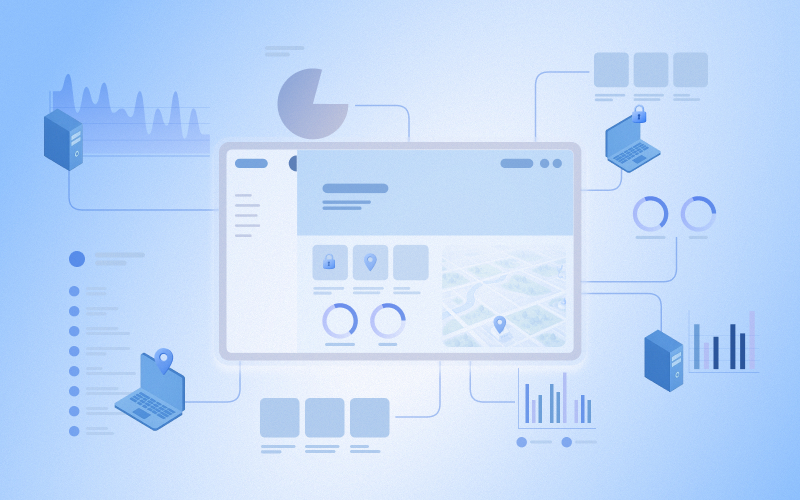
WXP data can expand your visibility and augment the data in another application you have already deployed and rely on for day-to-day operations. Integrating WXP with your other enterprise software platforms can provide you with richer, more accurate, and ultimately more valuable strategic insights to meet your goals.
Augment Business Intelligence Platforms With DEX Data
Gain a broader context for your operational decisions by pulling WXP data about the health and performance of your IT ecosystem and employee sentiment regarding their digital experience directly into your business intelligence platform. Avoid having to switch applications to see the big picture. HP offers ready-made integrations for Microsoft Power BI, Splunk, and Tableau.
Generate, Assess, and Resolve Tickets Faster
Save troubleshooting time with WXP applications for ServiceNow. The WXP Event Management application automatically generates events that ServiceNow can use to raise incidents, and the WXP Device Management application attaches useful information like device status at the time of incident, warranty status, and battery health, which might help your team get to the root of the issue more quickly.
Streamline More Workflows in a Tool You’re Already Using
You’ve spent the time and effort to implement workflows in tools like Microsoft Power Automate, Microsoft Intune and Microsoft Security Copilot, and would like to expand the information inside these platforms without sacrificing those hard-earned efficiency gains. Query device information from WXP without ever leaving Security Copilot, or create a Power Automate flow to track PCs, store details in SharePoint, and trigger automated actions across Microsoft 365 products.
How to Get Started With WXP Integrations
HP offers ready-made WXP software integrations for some commonly used enterprise applications, including: Microsoft Power BI, Microsoft Power Automate, Microsoft Entra ID2 Groups, Microsoft Intune, Microsoft Security Copilot, Splunk, and Tableau. Additionally, ServiceNow integrations are available in the ServiceNow Store. For more specific information about WXP integrations, please visit our Knowledge Base.
Need an integration we don’t have in our portfolio? We provide access to APIs and a powerful query language to support you in building custom integrations to meet the specific needs of your organization. Visit the WXP Developer Portal for APIs and Developer documentation.
Interested in how WXP can provide you with that extra insight you need to make more strategic decisions? Contact us today to learn more about integrating WXP into your IT workflows.
Additional Resources
Platform Overview | HP Workforce Experience Platform (WXP)
Applicable disclaimers
- Third-party licenses are required.
- Available only to customers of WXP Pro and Elite plans.
From the blog
The latest industry news, interviews, technologies, and resources.






Frequently asked questions
Here's everything you need to know about WXP.
- What is the HP Workforce Experience Platform (WXP)?
- How does WXP work?
- Can WXP be customized to fit specific business needs?
- How is WXP modular?
- Is WXP compatible with different vendors and operating systems?
- How does WXP integrate with other IT tools to provide a more comprehensive solution?
- What is a Workforce Experience score?
- How is AI used within WXP?
- How can I buy WXP and find out about new releases?
