
Product Release Notes, Winter ’25 Roundup
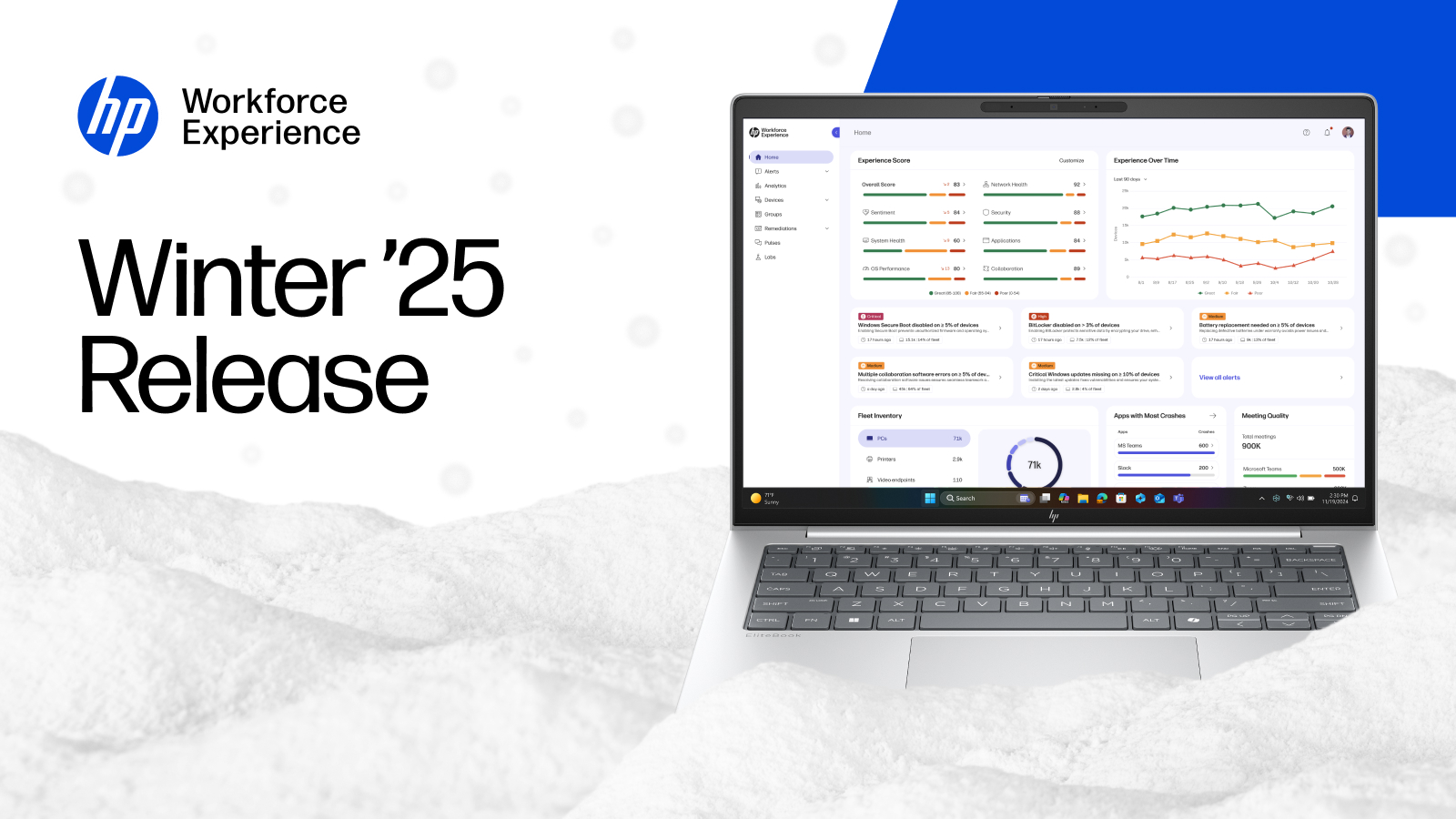
Kick off the new year with a fresh wave of enhancements and launches across the HP Workforce Experience Platform (WXP)1. This season, we’re delivering features you asked for—designed to help IT gather insights faster, take action sooner, and elevate employee experiences at scale. Gain unified fleet control with the all-new WXP Print Management2, bringing powerful, cloud-first printer oversight alongside your PCs, and accelerate real-time support with Remote Connect, enabling secure, in-platform troubleshooting that slashes downtime. Orchestrate automated IT actions at scale with Workflow, our new low‑code automation engine designed to streamline remediation across your entire fleet. Plus, unlock deeper answers with Fleet Explorer and explore targeted upgrades across Core Platform, PC Support Services, Partner Experience, and Remote Desktops. Bundle up and dive in—this Winter release is packed with customer-driven enhancements and bold new capabilities to power your year ahead.
Remote Connect
Resolve issues faster and reduce device downtime with secure, low‑latency remote access built directly into the Workforce Experience Platform. Initiate a remote support session instantly from the device’s action menu—no third‑party tools, no extra logins. IT users can collaborate with the support recipient to diagnose and remediate issues in real time.
Each session is secured through required support‑recipient consent, an encrypted connection, and authenticated devices registered with WXP. Both IT and the support recipient can use their own keyboard and mouse to assist with troubleshooting throughout the session.
Steps to access:
- From the left navigation menu, select Devices, then choose PCs.
- On the Device Details page for the device that requires remote access, under the Actions menu, select Remote Connect.
- At the In-Band Remote Connect section, select Connect and follow connection steps.
*Note: In-Band Remote Connect is currently in Beta. It is included with Workforce Experience Platform Pro and Elite plans. General availability of the feature is expected to launch soon. To learn more, or to discuss upgrading your WXP plan to include Remote Connect, contact your HP account manager or partner.
Fleet Explorer
The Next Evolution in AI-based Data Querying
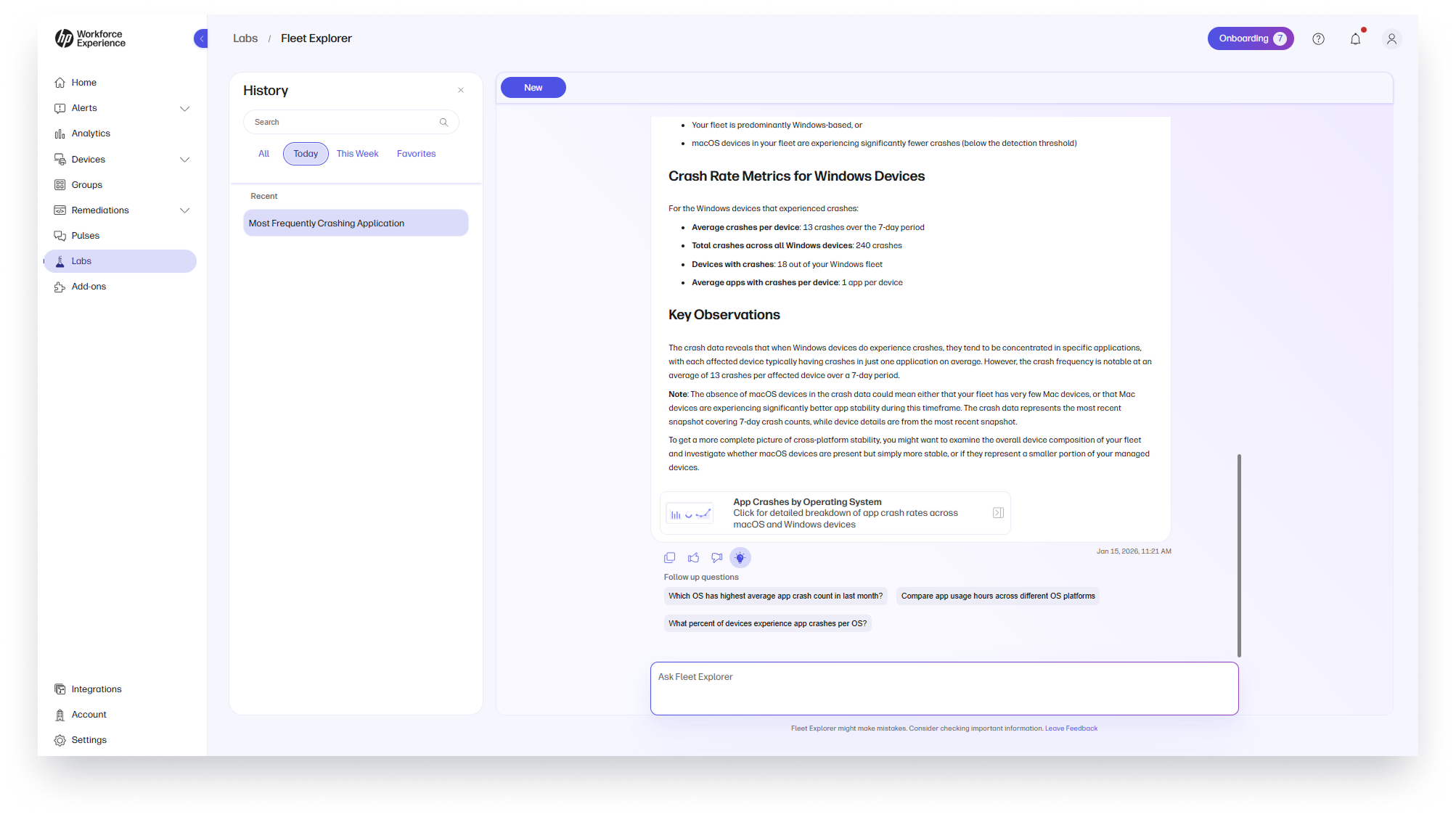
Ask comprehensive, multi‑part questions about your PC fleet and get actionable answers. Take advantage of Fleet Explorer’s expanded dataset, new agentic engine, refined design, and improved session features to generate more intelligent, context‑aware responses.
Turn curiosity into action with data you can trust. Revisit and build on prior sessions in the History tab to maintain continuity across sessions.
Steps to access:
- From the left navigation menu, select Labs.
- In the Fleet Explorer section, click on Try Now.
- Use session History to revisit previous analyses and refine prompts for ongoing investigations.
*Note: Only applicable to Workforce Experience Platform Pro and Elite plans.
Workflow
Streamline large-scale IT remediation with Workflow, HP Workforce Experience Platform’s new low-code orchestration capability. Built for enterprise environments, Workflow enables IT teams to automate remediation across endpoints using an intuitive, drag‑and‑drop visual interface.
Build dynamic automation with conditional branching that adapts to real‑world scenarios, creating logic-driven flows that can execute actions such as running scripts, updating drivers, triggering webhooks, and more—all within a single orchestrated sequence. With scheduling support, teams can shift from reactive ticket resolution to proactive fleet maintenance.
Target actions precisely using user-defined groups, ensuring the right remediation reaches the right devices at the right time. Gain full visibility with execution monitoring, detailed logs, and error tracking at the individual-device level.
Workflow is integrated seamlessly within WXP, leveraging real-time telemetry and contextual device data to accelerate time to resolution, reduce ticket volume, and elevate the overall digital employee experience.
Steps to access:
- From the left navigation menu, select Labs.
- Select Workflow to open Workflow.
*Note: Only applicable to Workforce Experience Platform Pro and Elite plans.
Core Platform Experience
Self Sign-Up
Enable faster time‑to‑value with self‑service tenant creation. Customers can sign up themselves for their tenant on the platform, reducing administrative overhead and accelerating rollouts.
Partner Experience
Multi Reports Export/Scheduling
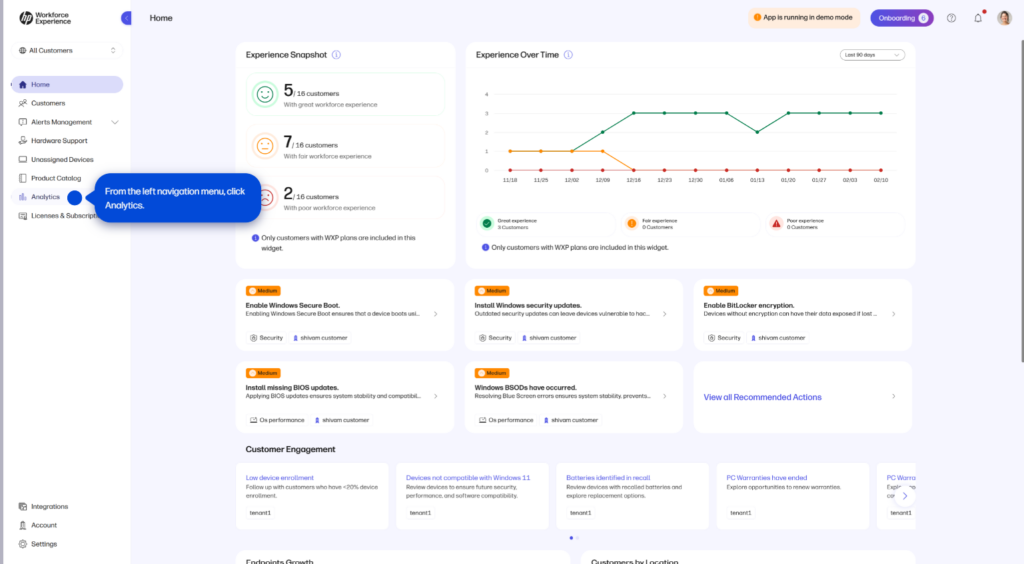
Automate reporting at scale with flexible, multi‑customer schedules. Schedule automated exports for one or more reports across different customers with flexible cadences (daily, weekly, monthly). Create private exports for individual analysis or share publicly with your team. Edit, duplicate, and customize schedules to streamline workflows and save valuable time.
Steps to access:
- From the left navigation menu, select Analytics.
- Select Scheduled Reports.
- Click Create and start your new scheduled export (choose report(s), customers, and cadence).
Required Billing Admin Role Assignment
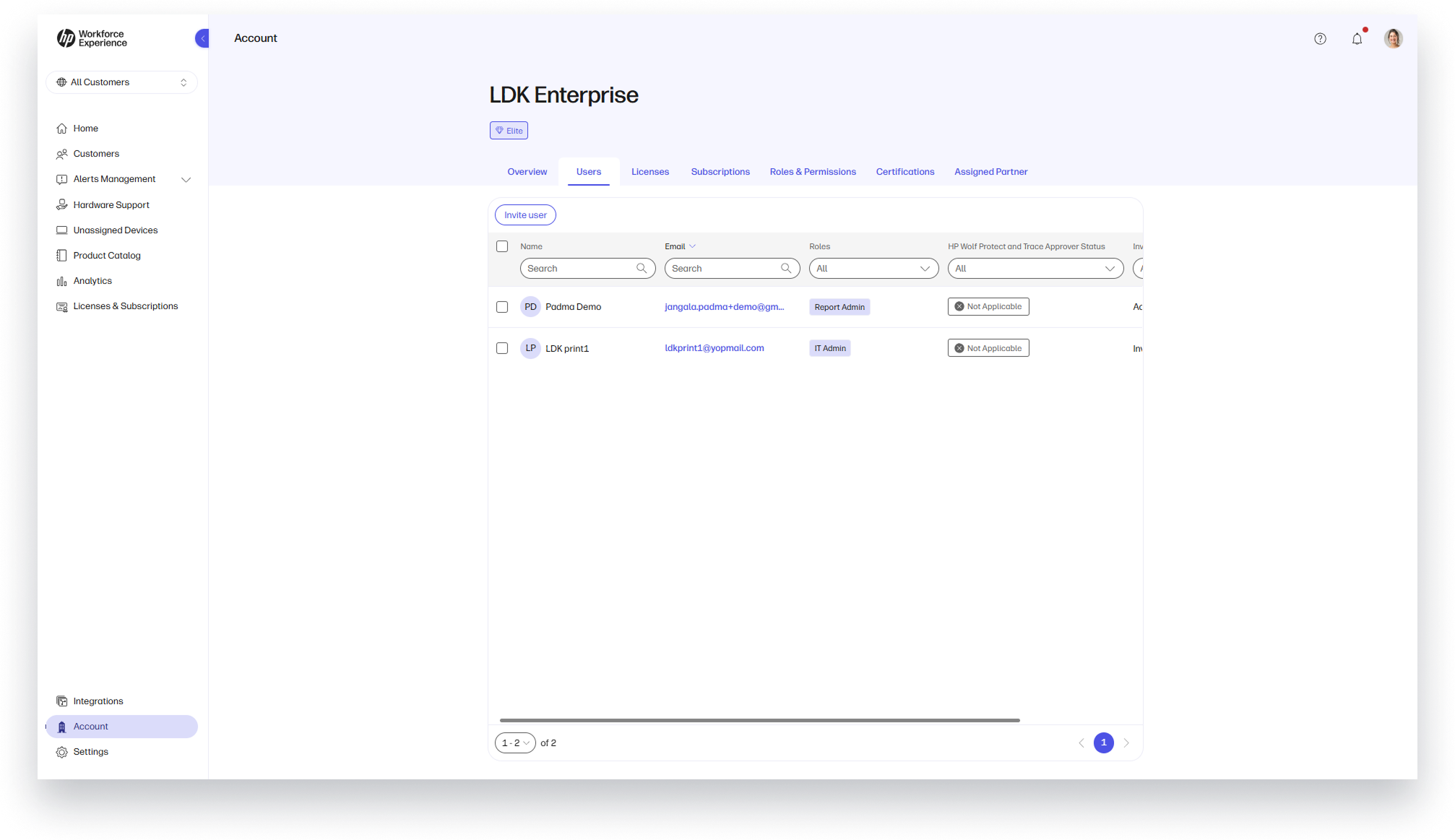
Establish clear fiscal accountability with a dedicated Billing Admin. Partners enrolled in Monthly Billing must designate a Billing Admin (a user with fiscal responsibility) who can see monthly endpoint consumption reports for invoice reconciliation. Within the Home page, Partner Admins are prompted to assign this role to an existing user or create a new one upon program opt-in.
Steps to access:
- From the left navigation menu, select Account.
- Select the Users tab.
- Assign the Billing Admin role to an existing user or add a new user and assign the role.
Tier Upgrade Information at Your Fingertips
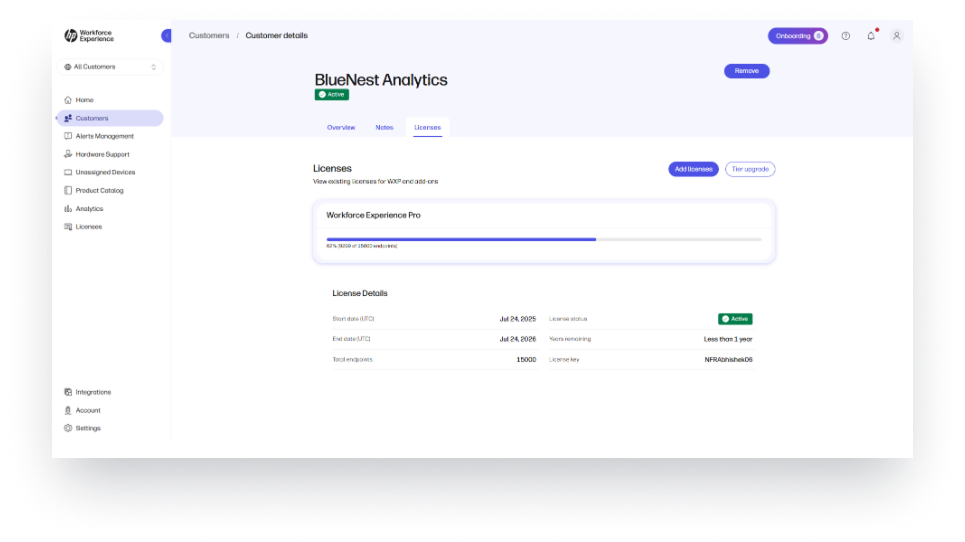
Identify upgrade opportunities faster. View customer tier levels directly from the Licenses page. The new Tier Upgrade button displays current tier status, compares features by tier, and links to public documentation—making it easier to identify upgrade paths and explain benefits.
Steps to access:
- From the left navigation menu, select Customers.
- Select a customer account to see details.
- Select the Licenses tab.
- Click on the Tier Upgrade button.
Quick Export from Report Selection Modal
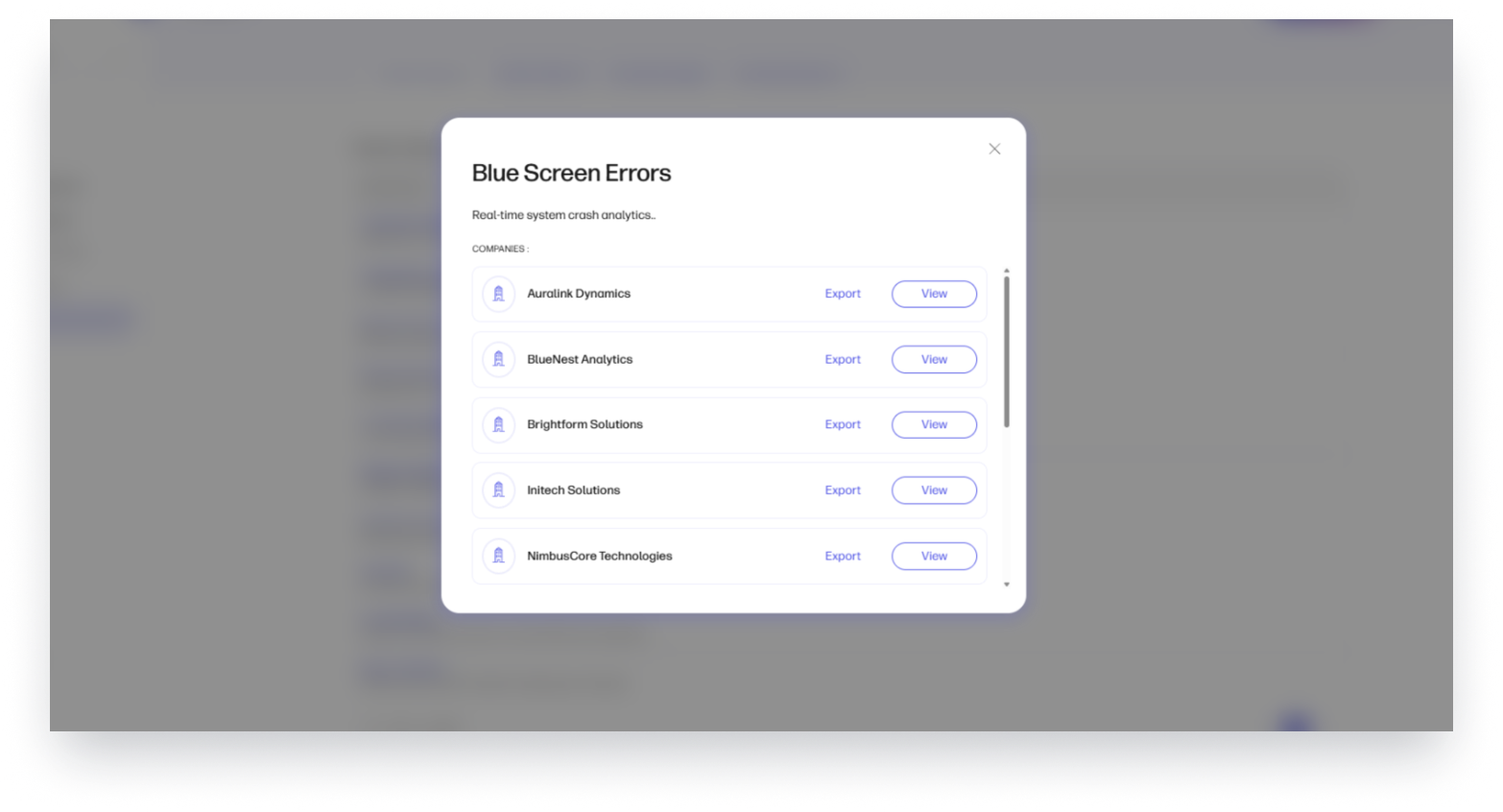
Save time with one‑click exports directly from the customer selection modal. Export reports without running them first—ideal for partners who need quick access to the latest report version for a given customer.
Steps to access:
- From the left navigation menu, select Analytics.
- Select the Modern or Classic Reports tab.
- Click on a report.
- In the modal, click Export next to a customer for an instant download.
Remote Desktops
Extended Clipboard Configuration
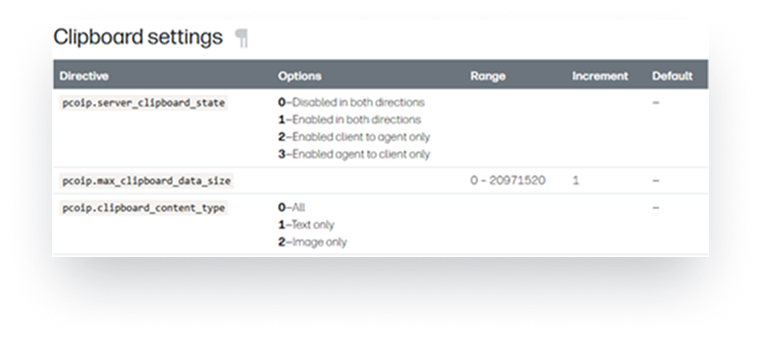
Tighten data controls to protect sensitive information. Enable additional security by specifying copy/paste size limits and permitted content types. For example, IT can allow text‑only or 500 bytes only from remote desktop to local machine—reducing exfiltration risk while maintaining productivity.
Steps to access:
Configure in Anyware Agent settings.
OS Updates
Expand platform coverage to support modern environments. Added support for additional OS platforms—including Windows Server 2025, macOS “Tahoe,” and more—so you can standardize deployments and broaden compatibility across diverse teams.
Enhanced Security with Smart Card Authentication
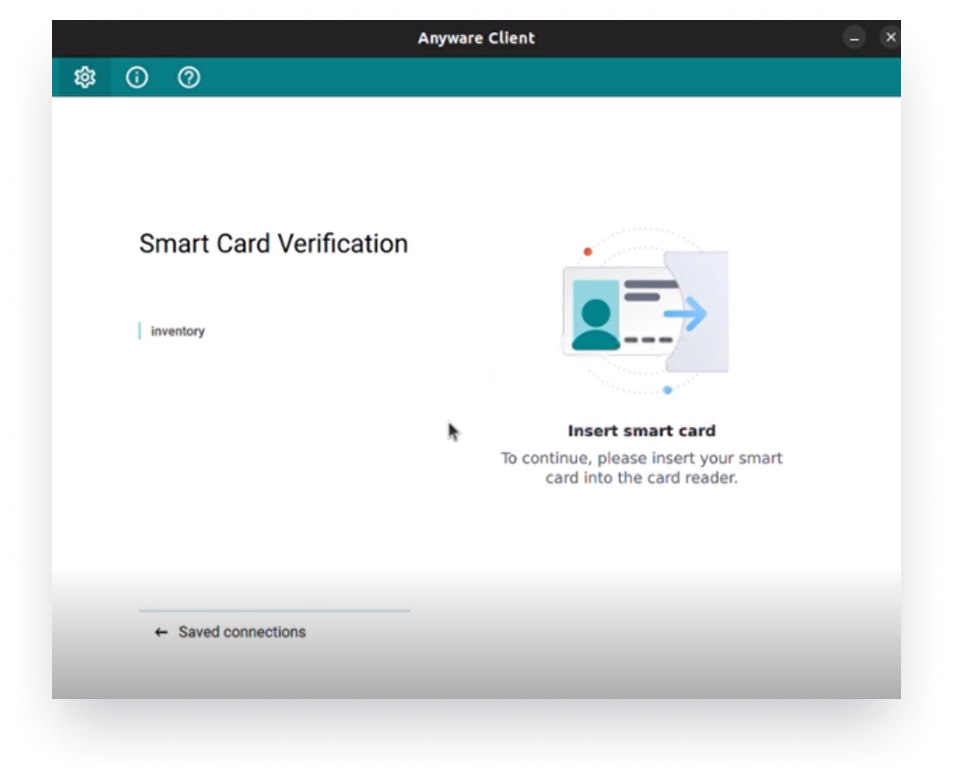
Access remote desktop by authenticating with a smart card from a Windows client. This ensures enhanced security and simplified SSO when connecting to remote desktops—especially valuable in government, military, and highly regulated industries.
Steps to access:
Smart card authentication is available by default with the Windows Anyware Client installed. Configure in Anyware Agent settings.
Anyware Manager Enterprise, Navigation Optimization
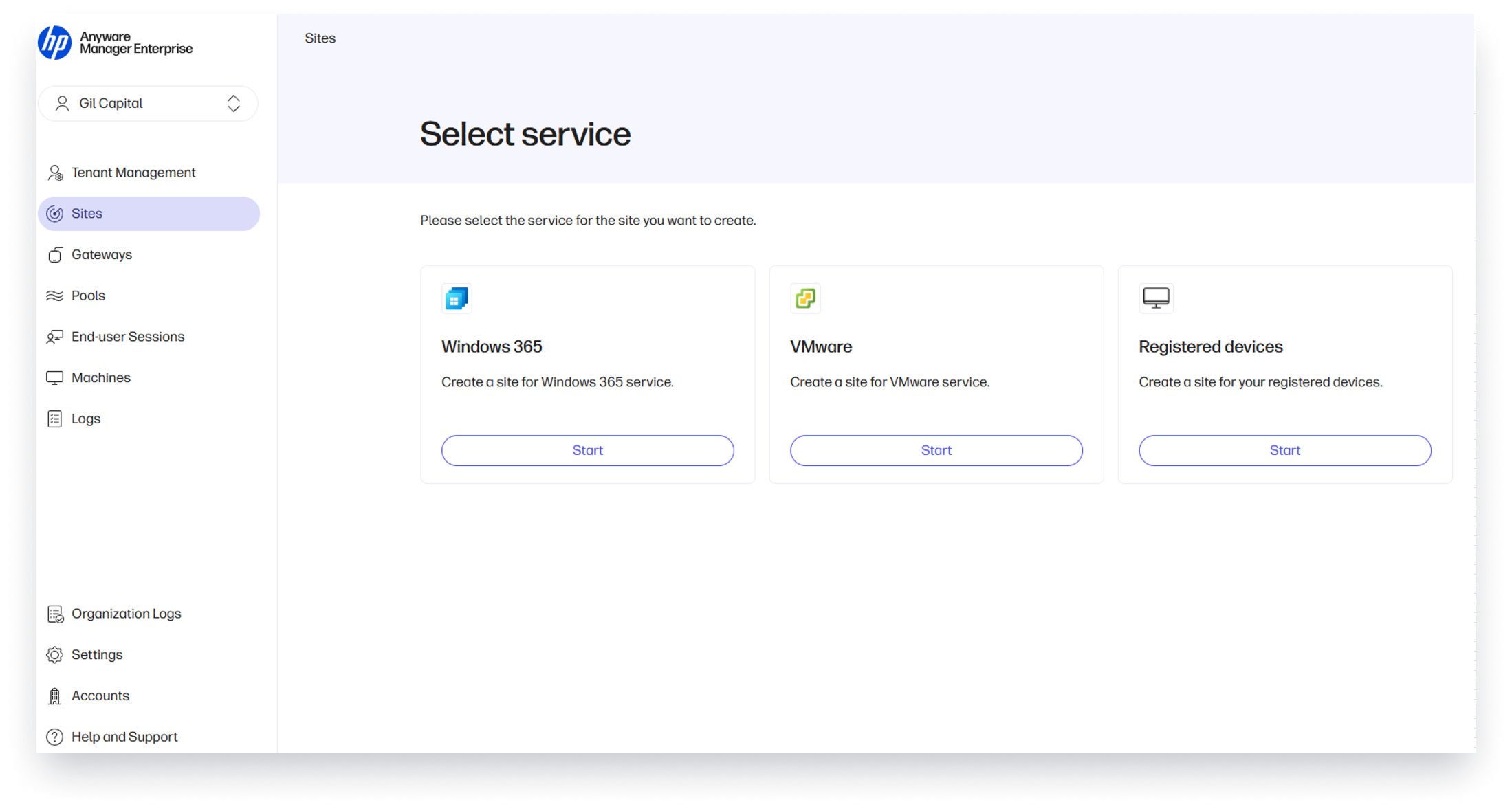
Find what you need faster with an optimized navigation experience. The improved Anyware Manager Enterprise navigation structure enhances findability, surfaces new capabilities, and streamlines key workflows—reducing clicks and shortening time to task.
Steps to access:
Use the updated Anyware Manager Enterprise UI and navigation structure (no additional installation required).
Organization-level Log Visibility
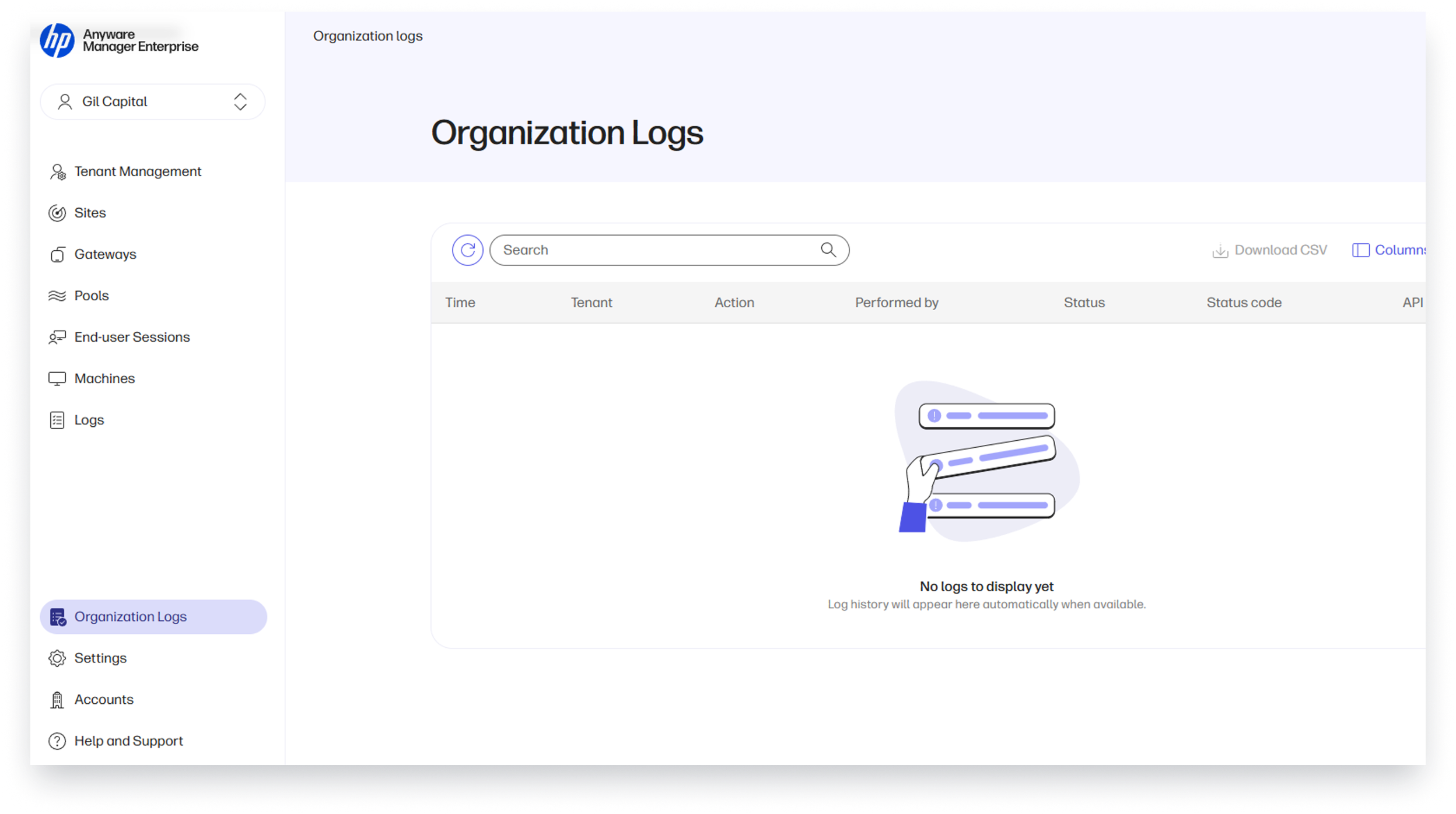
Centralize and simplify access to operational logs across your entire organization. With Organization Logs, administrators get full visibility of all administrative activity organization‑wide—reducing troubleshooting time and improving operational oversight.
Steps to access:
- Sign in to Anyware Manager Enterprise.
- From the left‑hand navigation, select Organization Logs.
WXP Print Management
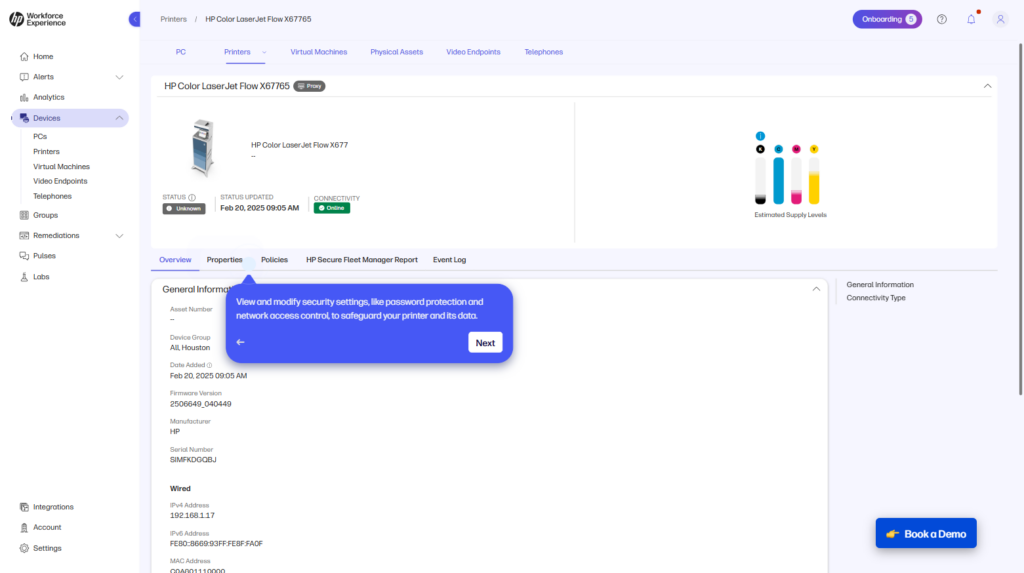
Revolutionize printer management and elevate security with the new WXP Print Management. Transform how you manage print environments by bringing printers into the same unified platform as PCs and collaboration devices—eliminating tool sprawl and complexity. Gain complete visibility and control over your enterprise printer fleet from anywhere, with the ability to onboard, configure, secure, and monitor devices seamlessly. Act on real-time insights to improve uptime, enforce compliance, and strengthen security, while proactively detecting offline printers and readiness issues before they impact workflows. Strengthen your security posture even further through centralized policy enforcement, streamlined firmware updates, and hybrid cloud management for FutureSmart 5 compatible printers—ensuring devices stay compliant, current, and protected across your entire fleet.
Support both hybrid and cloud strategies, enabling your organization to transition at its own pace without sacrificing operational continuity. Streamline operations and reduce costs with smarter, cloud-first management.
Apply consistent policies across printer groups, automate firmware updates, and remediate serviced devices without costly site visits. Group printers dynamically for tailored security and configuration, leverage interactive dashboards for compliance and supply monitoring, and reduce infrastructure overhead with direct-to-cloud onboarding or hybrid Fleet Proxy integration.
With advanced security templates, certificate management, and automated remediation, WXP Print Management empowers IT to deliver a seamless, secure print experience while focusing on higher-impact work.
Steps to access:
WXP Print Management is now available in two tiers for direct customers in North America. Contact your HP representative or fill out the form below to learn more about WXP Print Management.
HP Workforce Experience Platform is a comprehensive and modular digital employee experience solution that enables organizations to optimize IT for every employee’s needs.
Subscribe for future product release updates and the HP Workforce Experience Blog to learn how to optimize your IT capabilities today.
If you want to learn more about the HP Workforce Experience Platform, we would love to speak to you! Simply fill out the form below, and a team member will be in touch.
- HP Workforce Experience Platform (WXP) is available in various tiers and for multiple term license durations, and some features require optional add-on solutions. WXP is for commercial customers and some features and capabilities may require additional purchase of HP services and/or commercial hardware capable of supporting the HP Insights agent for Windows, Mac, & Android. WXP is ISO27001, ISO27701, ISO27017 and SOC2 Type2 certified for Information Security. Activation and restrictions may apply. Select HP solutions require an HP Insights agent for Windows, Mac, & Android, available for download at https://workforceexperience.hp.com/software. For full system requirements and services that require the agent, please visit https://workforceexperience.hp.com/requirements. The agent collects telemetry and analytics around devices and applications that integrate into the Workforce Experience Platform. Internet access required. WXP Collaboration license required for audio and video collaboration technology monitoring. HP Anyware license or compatible third-party virtual machine license required for virtual machine monitoring.
- HP Workforce Experience Print Management includes access to HP Workforce Experience Platform Starter. Printer management capabilities require HP Workforce Experience Platform, available in various tiers, supporting monitoring of HP and third-party printers through WebJetAdmin and management of select HP enterprise printers that are compatible with HP FutureSmart 5 firmware. Available in North America from HP Direct. HP Workforce Experience Print Management is for commercial customers and some features and capabilities may require additional purchase of HP services and/or commercial hardware capable of supporting the HP Insights agent for Windows, Mac, & Android. WXP is ISO27001, ISO27701, ISO27017 and SOC2 Type2 certified for Information Security. Activation and restrictions may apply. Select HP solutions require an HP Insights agent for Windows, Mac, & Android, available for download at https://workforceexperience.hp.com/software. For full system requirements and services that require the agent, please visit https://workforceexperience.hp.com/requirements. The agent collects telemetry and analytics around devices and applications that integrate into the Workforce Experience Platform. Internet access required.
From the blog
The latest industry news, interviews, technologies, and resources.





Frequently asked questions
Here's everything you need to know about WXP.
- What is the HP Workforce Experience Platform (WXP)?
- How does WXP work?
- Can WXP be customized to fit specific business needs?
- How is WXP modular?
- Is WXP compatible with different vendors and operating systems?
- How does WXP integrate with other IT tools to provide a more comprehensive solution?
- What is a Workforce Experience score?
- How is AI used within WXP?
- How can I buy WXP and find out about new releases?
