
What Are Some Digital Employee Experience Fundamentals for Success?

With hybrid work here to stay, the average employee uses two or three devices, and the expectation is for them to all work seamlessly. However, delivering the digital employee experience (DEX) users expect in a secure and frictionless manner can be challenging for IT.
To meet this demand, IT must detect problems and monitor events on devices, applications, and user experiences. Moreover, determining the causality of these instances will help to preempt their occurrences in the future. IT validates actions with a DEX score — it rates the device’s performance and the employee’s ability to get things done while interacting with IT.
With one out of two IT organizations projected to establish a DEX strategy by 2025, understanding the fundamentals of DEX is a crucial first step.
Why does DEX matter?
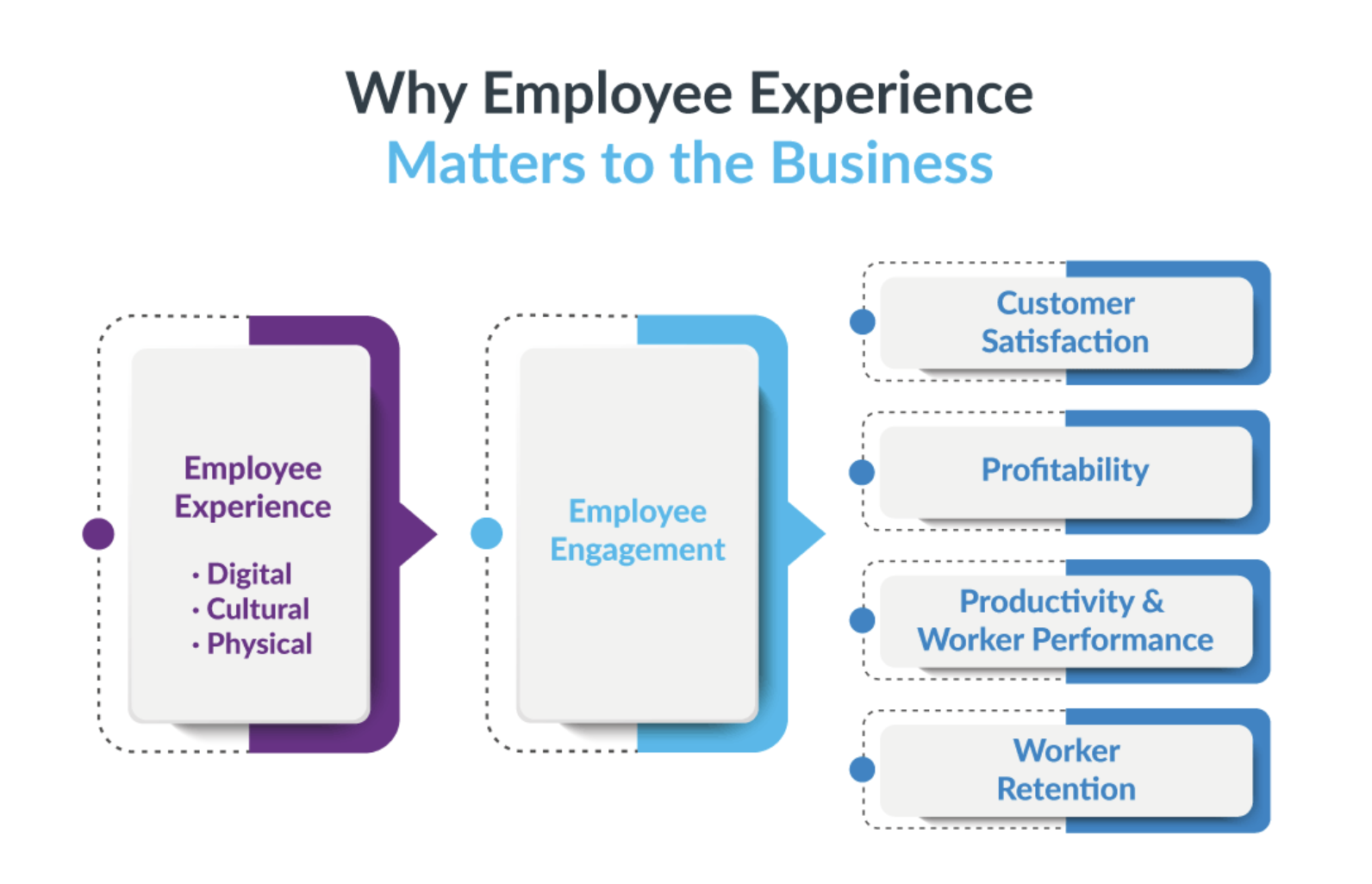
According to Forrester, “DEX is an employee’s perception of how an ecosystem of technologies, processes, and policy choices either improve or degrade their work experience.” A successful DEX enables organizations to:
- Boost employee productivity: Removing digital friction empowers employees to focus on their work rather than on trying to resolve technology issues.
- Retain and attract talent: As 36% of employees are willing to change employers with subpar digital experiences, providing an excellent DEX can help to decrease the attrition rate.
- Improve employee engagement: As only 32% of the U.S. workforce is actively engaged, delivering a seamless, and adaptable DEX can increase employee satisfaction.
Recognizing the importance of DEX in today’s workplace, here are some fundamentals that we at HP believe IT can follow to deliver a successful DEX.
8 Fundamentals for a Successful DEX
1. Ask the right questions
To achieve clarity regarding device health in a fleet and user experience, IT should endeavor to comprehend the fleet’s operational state and working status by asking:
- Who has it?
- What’s wrong with it?
- How to fix it?
- Where is it right now?
- Does it need to be replaced?
- Can this issue be prevented?
2. Maintain dynamic visibility
An accurate and detailed view of the device fleet, installed applications, and user interactions are key to capturing both ad-hoc and real-time telemetry data from devices. This consistent view of the overall estate empowers IT to identify and address issues promptly.
3. Fix anything fast
With a thorough understanding of the IT environment and the impact negative experiences have on user productivity, IT can take decisive action. The speed in which IT reacts to these conditions is powered by:
- Analytics in the cloud running against frequently captured telemetry data from devices
- AI to describe conclusions derived from the analytics and predicting outcomes
- Agility at the devices, where intelligent agent software is both preventing and remediating issues
4. Grow at scale
In business, time is money. By preventing issues and accelerating remediations at scale, IT can quickly stabilize the fleet, which has a positive effect on the fleet’s overall DEX score.
5. Automate manual workstreams
Dashboards focusing on the top priorities and concerns in IT highlight devices whose configurations have drifted away from the fleet’s desired state. These drifts usually result from manual management rather than automated processes driven by defined policies. Automating these streamline operations and reduce manual effort, enabling IT to dedicate more time to automating more complex tasks.
6. Measure employee engagement and incorporate feedback
By measuring employee engagement and collecting valuable feedback, IT can gauge the effectiveness of changes and gain more insights for further improvements. Implementing employee feedback establishes a continuous loop between employees and IT, building a positive relationship.
7. Make low-hanging fruit a priority
Focus on immediately resolving issues affecting many end-users instead of outlier problems that require more effort. For example, ensuring missing OS updates and patches are deployed will quickly increase — and harden — an organization’s security posture. As a residual benefit, the DEX score improves significantly with minimal effort.
8. Hire the right talent
Building a capable team is crucial for executing a successful DEX. By recruiting individuals with the skills and expertise to navigate the complexities of the modern IT environment, IT can better identify, address, and resolve digital friction, creating a happier and safer digital workplace for employees.
Driving a Successful DEX for Today’s Workforce
Delivering a seamless and secure DEX has become a top challenge for IT. It’s no longer sufficient to simply identify a problem. Today’s IT must detect and monitor issues in real-time to proactively address and eliminate the digital friction that exists.
To achieve this, IT needs clear visibility and understanding of its entire IT investment. This empowers them to improve digital employee experiences with agility and velocity. Automating workflows, measuring and incorporating employee feedback, and building the right IT team all further drive a DEX that best serves the workforce.
HP Workforce Experience Platform (WXP) is a comprehensive and modular digital employee experience solution that enables organizations to resolve IT issues before they arise, protect against cyber threats, and personalize IT for every employee’s needs.
Subscribe to the HP Workforce Experience Blog or schedule a consultation with our team to begin optimizing your IT capabilities today.
From the blog
The latest industry news, interviews, technologies, and resources.






Frequently asked questions
Here's everything you need to know about WXP.
- What is the HP Workforce Experience Platform (WXP)?
- How does WXP work?
- Can WXP be customized to fit specific business needs?
- How is WXP modular?
- Is WXP compatible with different vendors and operating systems?
- How does WXP integrate with other IT tools to provide a more comprehensive solution?
- What is a Workforce Experience score?
- How is AI used within WXP?
- How can I buy WXP and find out about new releases?