
Straight to Support: Use Remote Connect to Resolve Device Issues Faster
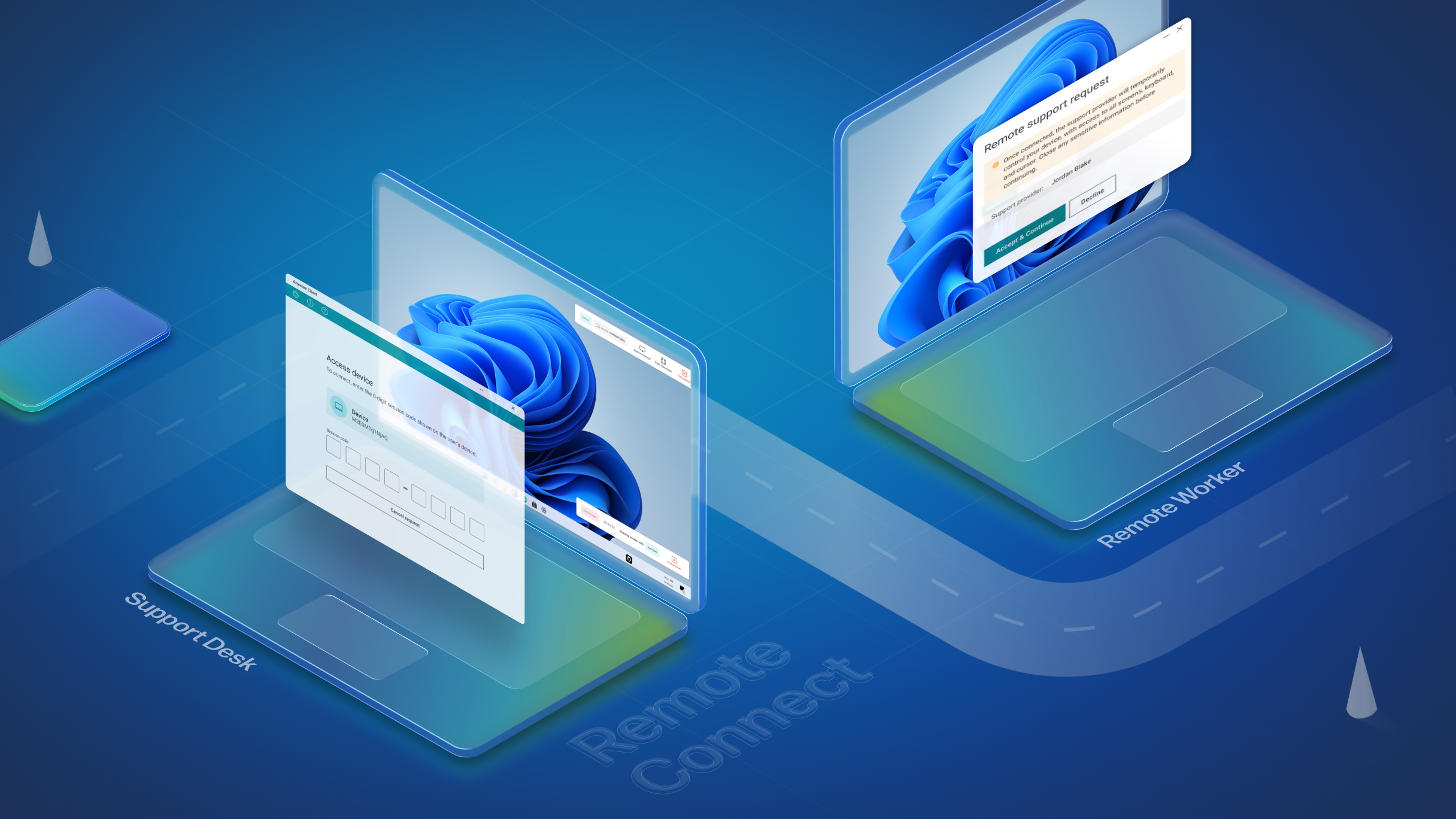
Remote Connect offers secure remote access directly from WXP with device analytics at hand, saving the hassle and cost of third-party tools for issue resolution.
We’ve consistently pointed out the limitations of reactive IT–even going so far as to call it ticket addiction. That said, incident management still forms a large part of IT teams’ responsibilities. In fact, our own research showed that 70% of enterprise IT organizations reported spending at least 40% of their time on reactive issue resolution.
Part of the reason for this time sink is systematic inefficiency. Helpdesk technicians are often siloed and don’t have the insight they need to diagnose issues reliably. Even when they do have the information available, fleet management and support tools may reside in different platforms and provide no holistic view of device health without switching screens, slowing time to resolution.
The device health analytics within the HP Workforce Experience Platform (WXP)1 can help detect device issues before they escalate and disrupt employee productivity. AI-powered remediation prioritization can quickly surface relevant, recommended interventions to prevent escalation. And now, with Remote Connect,2 you can directly intervene and minimize downtime in responding to an active issue or trying to prevent one.
With a unique ability to handle both in-band support and OS-down recovery for critical system failures, Remote Connect enables IT teams to securely connect to and control an employee’s PC directly from WXP, with all the device data and analytics at their fingertips to provide the context for quick remediation. It offers multi-vendor support and can cover a full range of use cases, saving the cost of using a third-party remote support tool.
Put All Your Tools in the Same Toolbox
Helpdesk tickets frequently lack detail and context. People don’t always remember exactly what they were doing before the issue popped up, or they don’t know what information is relevant to solving their problem, so relying entirely on end-user reporting for remediation can prove frustrating.
This is where WXP shines, providing deep information about device health, including details about system changes, memory usage, application hangs, and blue screens leading up to the incident that may provide clues toward resolution.
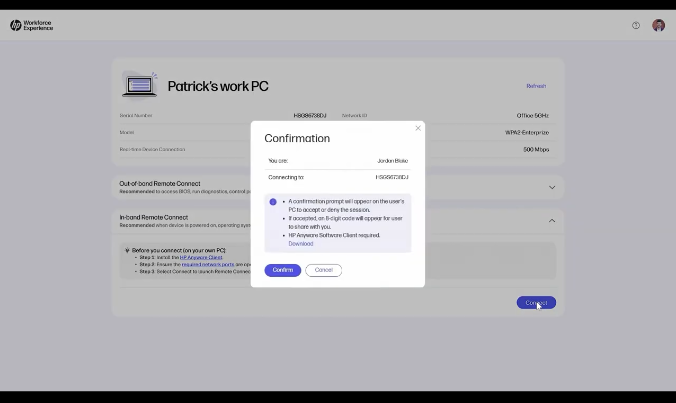
Remote Connect enables an IT administrator to initiate a remote desktop control session directly from WXP to fix a problem. It provides the administrator with control of the keyboard and cursor, allowing them to navigate and control the desktop and settings to troubleshoot a machine on the fly using the device analytics WXP provides. With both in-band and out-of-band capabilities, IT teams gain a comprehensive solution that can save troubleshooting time as well as avoid the need to ship replacement devices or travel to the employee’s location.
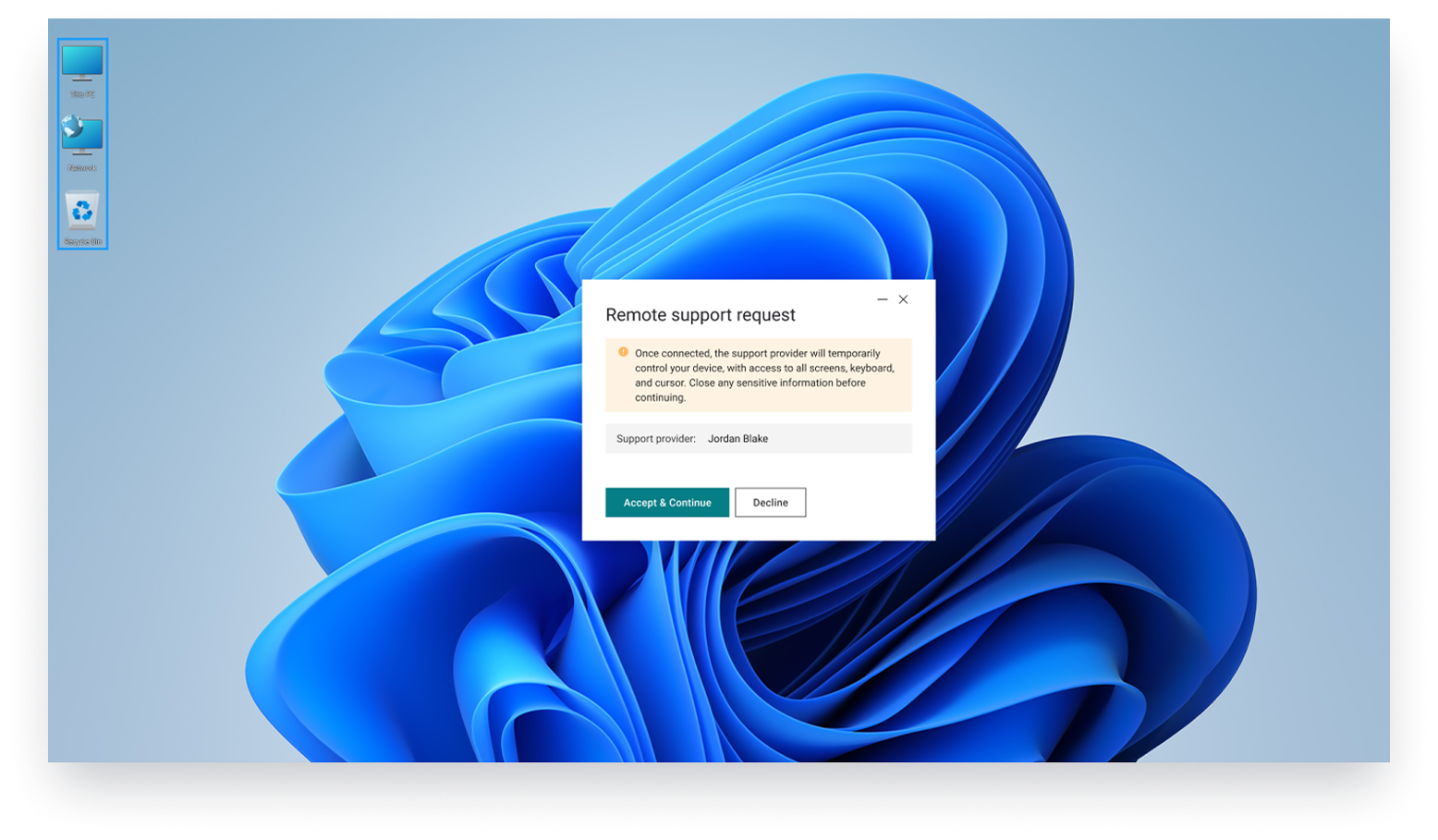
In-band Remote Connect provides high-fidelity, remote access over a secure, encrypted display stream. This WXP feature provides a secure, efficient solution for IT interventions and eliminates the need to pivot to another tool, saving time, energy, and expense.
In more complex situations where the device is failing to boot, experiencing repeated blue screens, or requires interventions below the OS, such as firmware or BIOS updates, Remote Connect leverages Intel vPro Out-of-Band AMT Technology with full KVM control to remotely power cycle, diagnose, update, reboot, and reset devices. IT teams can switch easily between in-band and out-of-band support modes to quickly achieve issue resolution, all from within WXP.
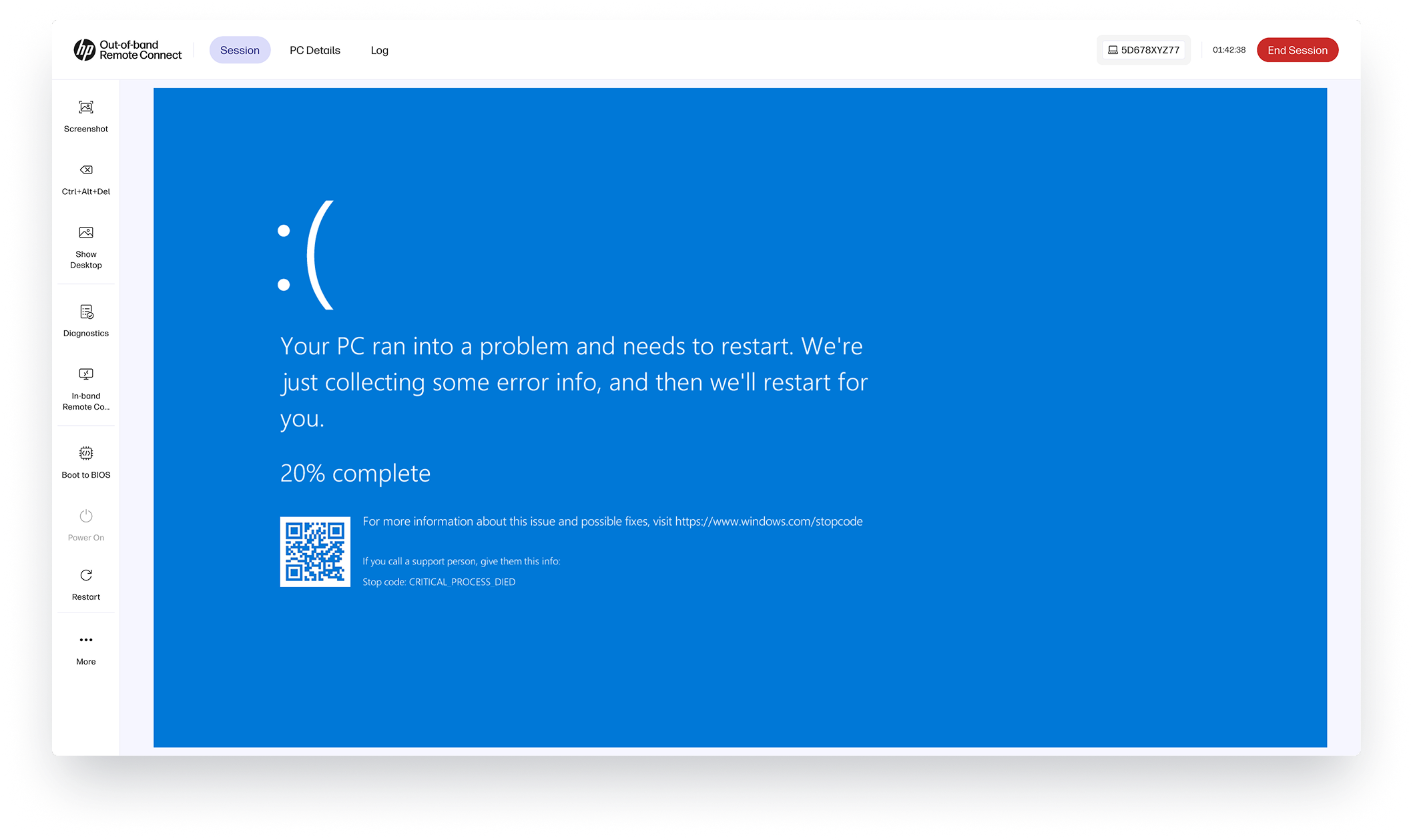
Out-of-band Remote Connect is available for use with any Intel vPro enterprise AMT-enabled device, including Retail Point-of-Sale (RPOS) systems, making it extremely valuable in situations where even minutes of downtime can directly impact the bottom line.
Instill Trust in Employees and Clients
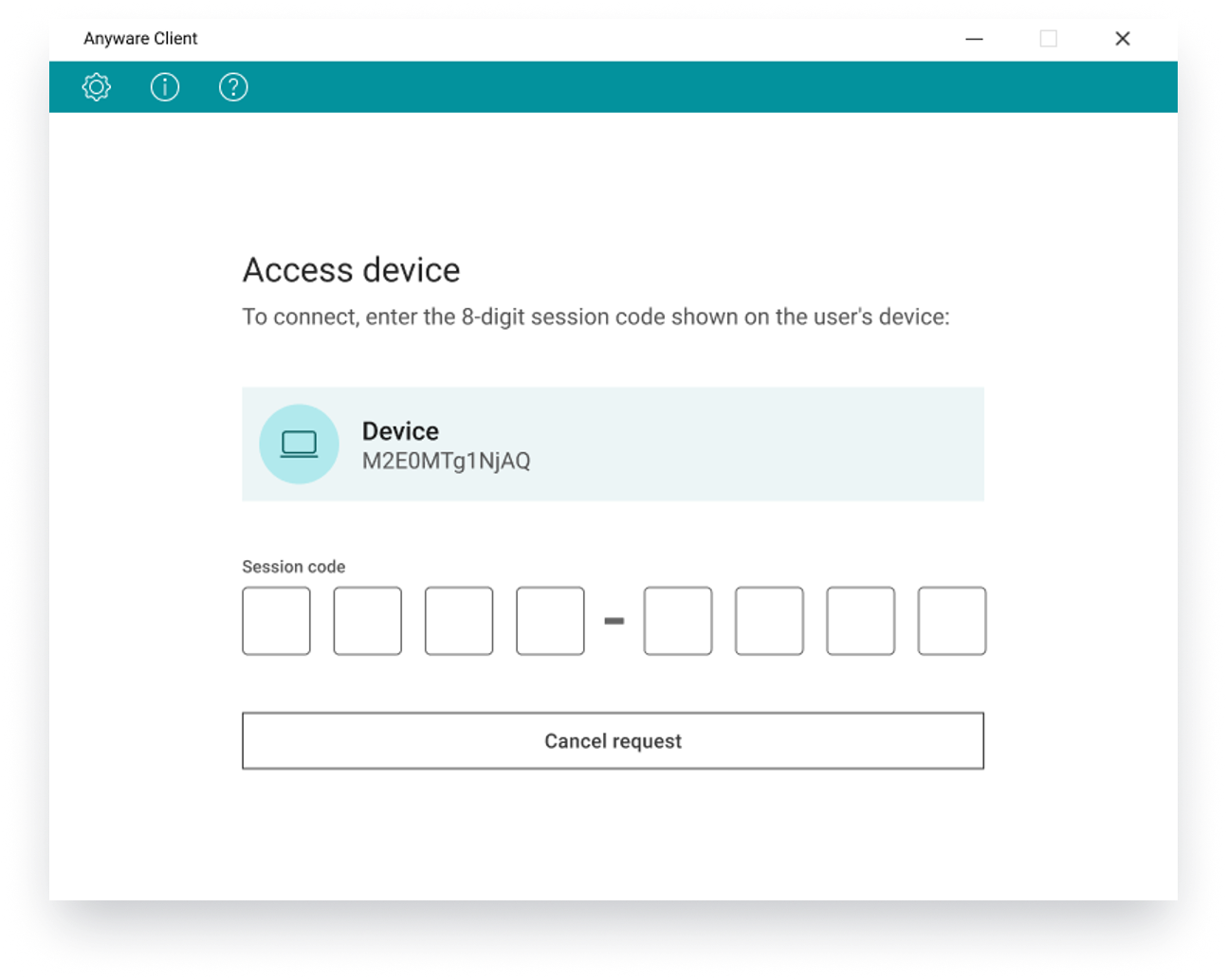
Importantly, employees remain firmly in control throughout the support process: explicit permission is required for access, confirmed through a secure token or passkey, and the technician handling their request is identified by name. Employees may terminate a session at any time, providing an extra layer of transparency and trust. These safeguards ensure that while IT teams deliver responsive and effective support, employee autonomy and privacy are always respected.
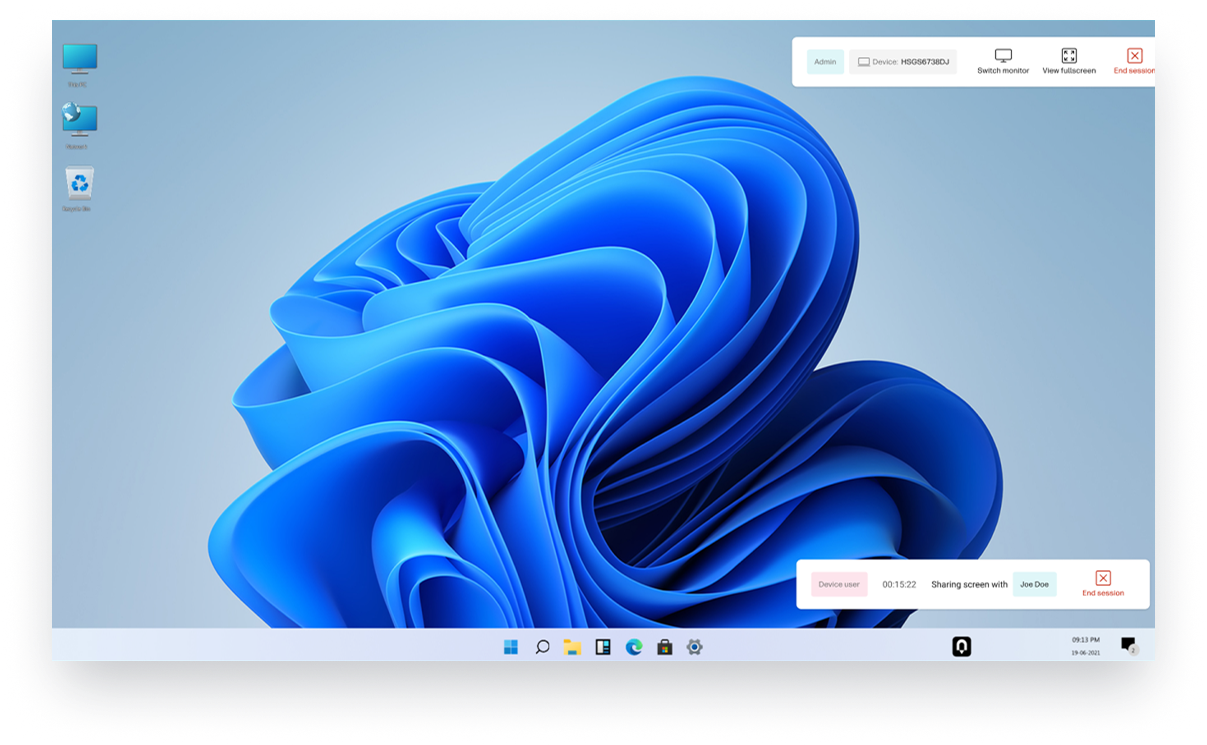
Additionally, combined with WXP’s ability to flag issues before they become device failures, IT service providers have an opportunity to proactively reach out and remedy potential issues remotely, preventing downtime, proving value, and building trust with clients.
Confidently close the loop in your workflow as well, from within WXP. After an issue is addressed with a Remote Connect session, you can use WXP to manually or automatically send the employee a follow-up survey, validating that the resolution has stuck and the employee is happy with their digital experience. Over time, this reduces recurring problems and contributes to employee satisfaction with their technology environment.
Learn more in the demo video below.
Learn More about Remote Connect and WXP
Remote Connect is included with Pro and Elite WXP plans, available as an add-on purchase for WXP Standard plans, or can be purchased as a standalone service for those who only require the connectivity functionality and want to integrate it with existing support tools. To learn more, or to discuss upgrading your WXP plan to include Remote Connect, contact your HP account manager or partner.
For HP partners and managed service providers, Remote Connect represents a significant step forward in service delivery and customer satisfaction. By streamlining the process of resolving IT issues, it enables tickets to be addressed with greater speed and efficiency, reducing downtime and ensuring a seamless user experience, while reducing costs and complexity for IT staff. For information about how partners can incorporate Remote Connect into their service offering, contact your HP account manager or complete the form below to set up a meeting.
Additional Resources
Knowledge Base | Remote Connect
1. The Workforce Experience Platform (WXP) is available in various tiers and for multiple term license durations, and some features require optional add-on solutions. WXP is for commercial customers and some features and capabilities may require additional purchase of HP services and/or commercial hardware capable of supporting the HP Insights agent for Windows, Mac, & Android. WXP is ISO27001, ISO27701, ISO27017 and SOC2 Type2 certified for Information Security. Activation and restrictions may apply. Select HP solutions require an HP Insights agent for Windows, Mac, & Android, available for download at https://workforceexperience.hp.com/software. For full system requirements and services that require the agent, please visit https://workforceexperience.hp.com/requirements. The agent collects telemetry and analytics around devices and applications that integrate into the Workforce Experience Platform. Internet access required. WXP Collaboration license required for audio and video collaboration technology monitoring. HP Anyware license or compatible third-party virtual machine license required for virtual machine monitoring. WXP Print Management capabilities are available to select beta customers in the US only. WXP Print Management is planned to be available in a future release in various tiers as an add-on solution in various term licenses.
2. HP Remote Connect is available as a license in varying term lengths and is vendor agnostic for supported PCs. Certain capabilities, including out of band remote access, require Intel® vPro® Enterprise hardware with Intel® Active Management Technology (AMT) enabled. HP Remote Connect is delivered through and administered by the HP Workforce Experience Platform (WXP). WXP Starter is included and required to administer the service. WXP is also available in various tiers and for multiple term license durations, and some features require optional add-on solutions. WXP is for commercial customers and some features and capabilities may require additional purchase of HP services and/or commercial hardware capable of supporting the HP Insights agent for Windows, Mac, & Android. WXP is ISO27001, ISO27701, ISO27017 and SOC2 Type2 certified for Information Security. Activation and restrictions may apply. Select HP solutions require an HP Insights agent for Windows, Mac, & Android, available for download at https://workforceexperience.hp.com/software. For full system requirements and services that require the agent, please visit https://workforceexperience.hp.com/requirements. The agent collects telemetry and analytics around devices and applications that integrate into the Workforce Experience Platform. Internet access required.
From the blog
The latest industry news, interviews, technologies, and resources.






Frequently asked questions
Here's everything you need to know about WXP.
- What is the HP Workforce Experience Platform (WXP)?
- How does WXP work?
- Can WXP be customized to fit specific business needs?
- How is WXP modular?
- Is WXP compatible with different vendors and operating systems?
- How does WXP integrate with other IT tools to provide a more comprehensive solution?
- What is a Workforce Experience score?
- How is AI used within WXP?
- How can I buy WXP and find out about new releases?