
Manage PCs, Printers, and Collaboration Without Costly Tool Sprawl
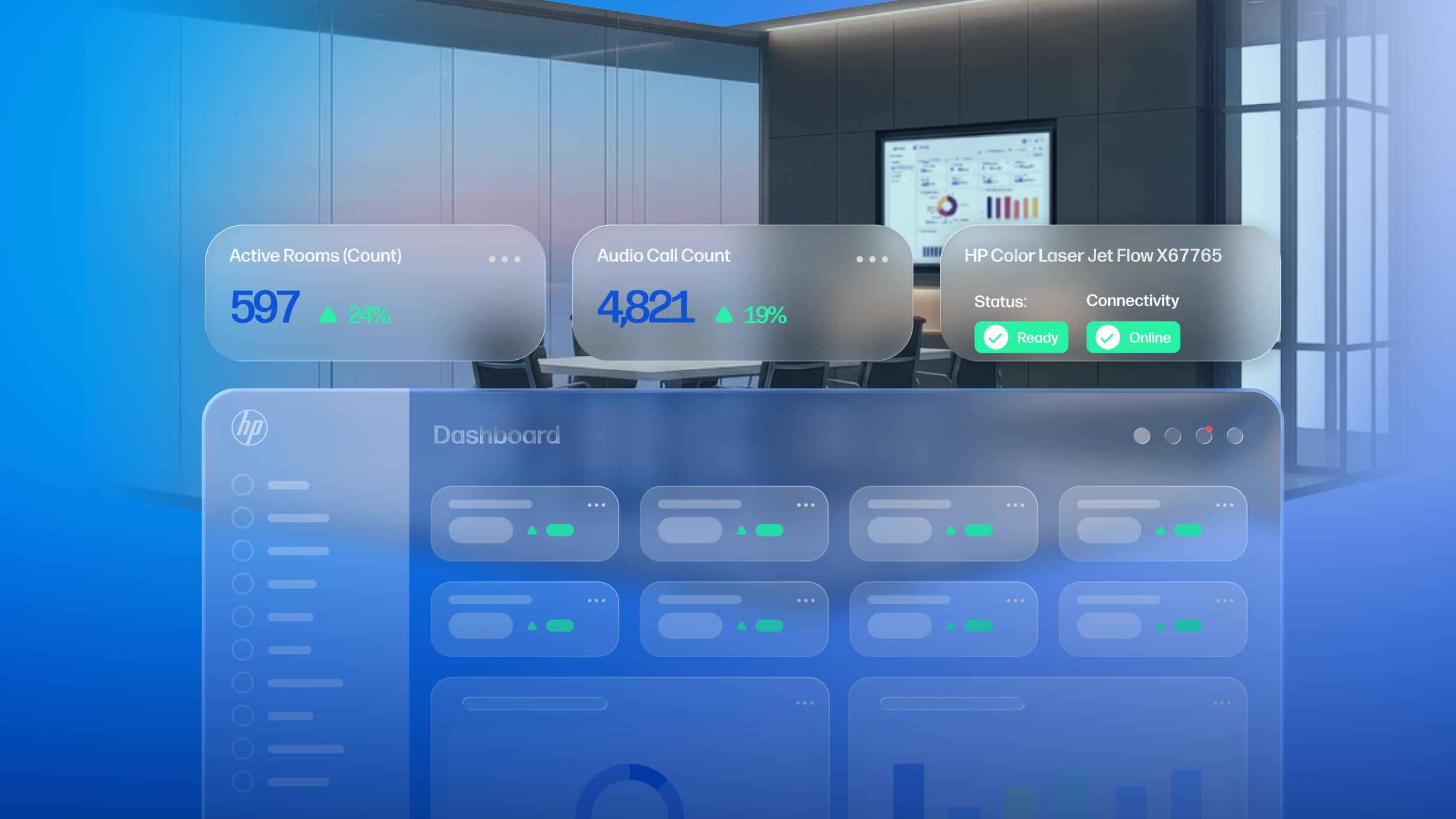
Gain enhanced visibility and control across a multi-vendor environment of meeting spaces, devices and communication platforms within HP Workforce Experience Platform (WXP).
Hybrid meetings are here to stay, and with them the increased complexity for IT teams tasked with supporting seamless employee collaboration. Fragmented tools, platforms, and spaces, pieced together over time, managed remotely, and shared between constantly rotating groups of people and their devices—it’s a recipe for operational friction that can be both expensive and frustrating to maintain. It all needs to work reliably, ideally from a single view, where any issues that do pop up can be quickly diagnosed and addressed.
That’s why we’ve made both WXP Collaboration3 and HP Poly Lens accessible through the HP Workforce Experience Platform (WXP)1, to provide unified visibility and control across the entire collaboration environment, including infrastructure, meeting platforms, networks, and devices, regardless of vendor. By consolidating management of meeting spaces and unified communications technologies into a single platform alongside management of PCs and printers,2 IT teams can reduce the number of tools they rely on, improve operational efficiency, and lower costs.
With fewer systems to switch between, troubleshooting becomes faster, helping minimize disruption and accelerate time to resolution.
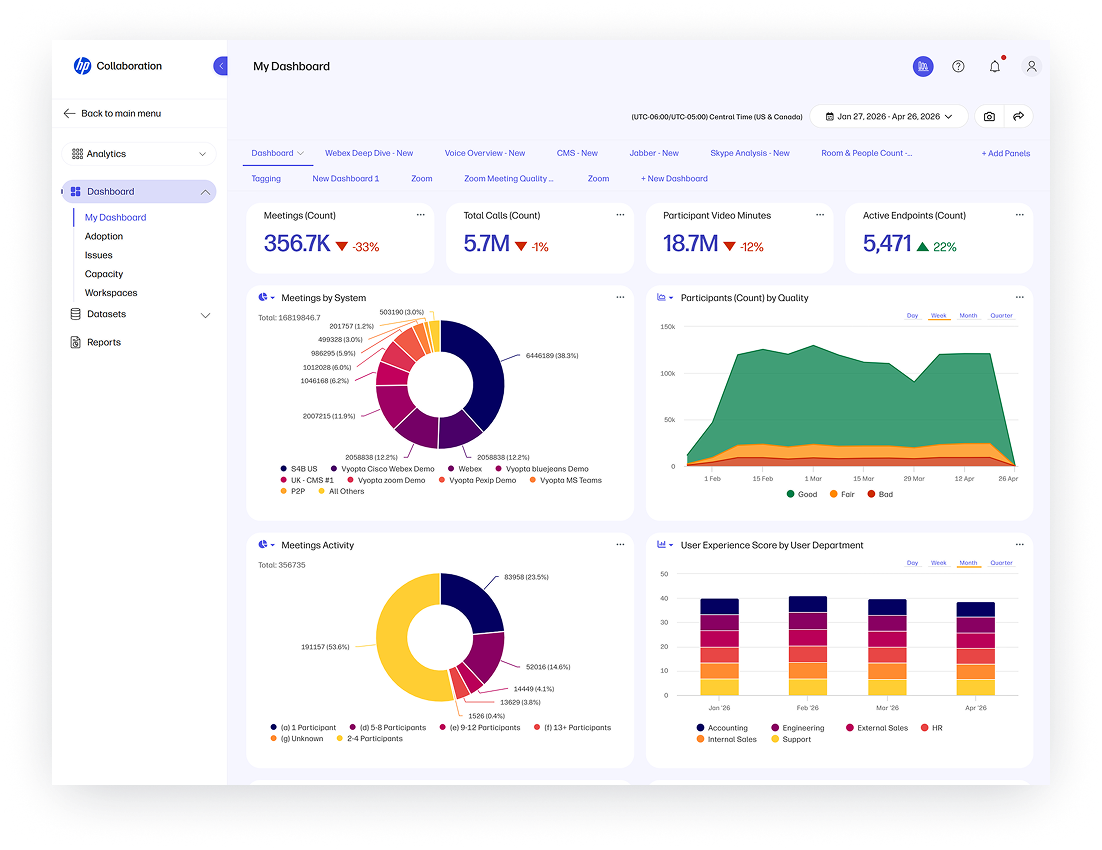
Simplify Collaboration Management, Even with a Diverse Install Base
IT teams accessing WXP Collaboration and HP Poly Lens through WXP gain a more unified way to see and manage everything together. From the WXP console, they can use Poly Lens to manage HP Poly devices and WXP Collaboration to provide insight into the performance of their collaboration environments and supporting technologies, all from the same platform they are using to manage PCs and printers, reducing the need to jump between platforms.
All endpoint management workflows are now available in one place, with support for single sign-on, unified management, comprehensive monitoring, and cross-platform analytics. Proactive monitoring of multi-vendor devices, combined with contextual intelligence, helps identify and resolve issues faster—reducing time to resolution and easing the burden on overstretched teams.
At the same time, collaboration insights and analytics are extended to the individual PC level, providing more direct visibility into where most meetings take place, along with new ways to identify and resolve experience issues.
Get the Most Out of Your Meeting Spaces
Poly Lens enhances collaboration experiences across HP Poly devices, simplifying how IT teams deploy, monitor, manage, and measure the performance of their environments. Integrated into the HP Workforce Experience Platform, it enables direct management of HP Poly devices along with select HP peripherals and displays, bringing more control into a single workspace.

With Poly Lens Pro for Rooms, new capabilities like Room VisualizerAI4 introduce a more advanced, data-driven approach to space planning. Using room photos and dimensions, the technology analyzes collaboration devices, walls, furniture, and spatial relationships to create an interactive 3D digital twin. IT teams can use this model to explore how different devices will perform across the room’s field of vision and acoustics.
The result is a more intuitive and informed way to design and manage collaboration spaces, helping optimize experiences for end users while reducing trial-and-error in procurement and setup.
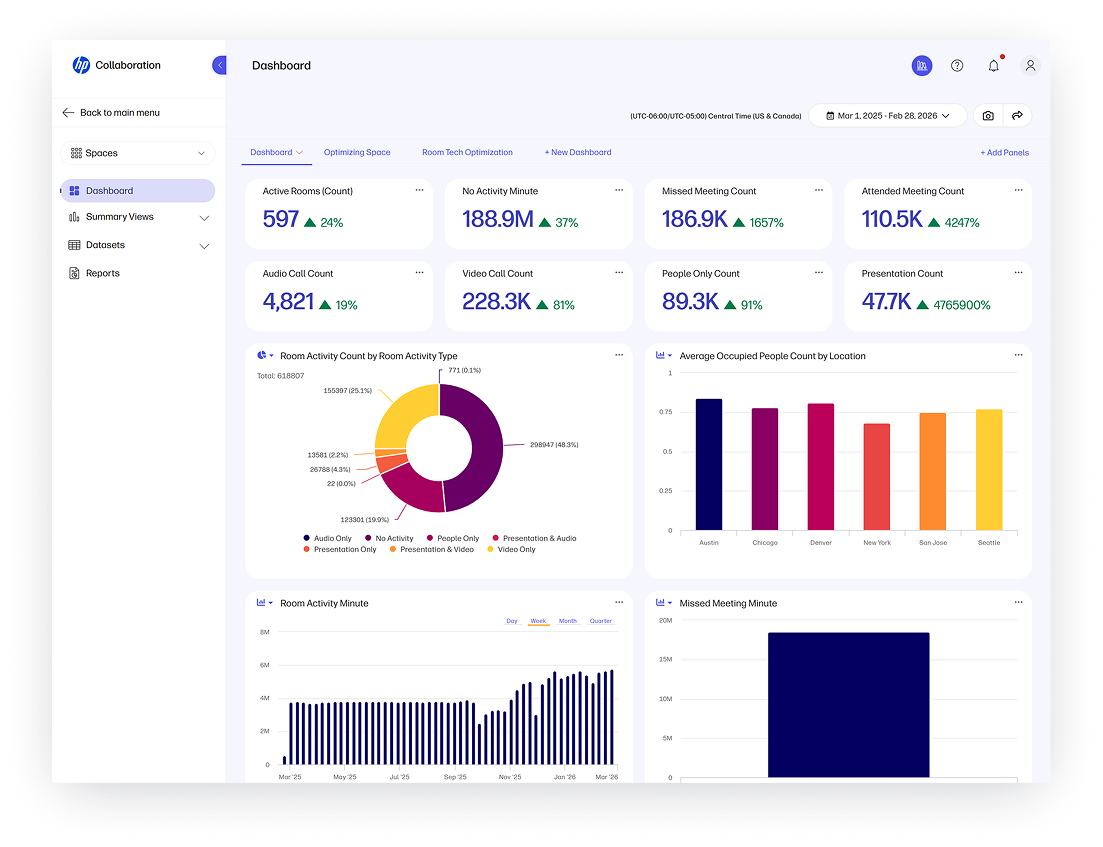
At the same time, integrated space insights within WXP Collaboration provide visibility into how meeting rooms are actually being used—enabling teams to track utilization, reduce inefficiencies, plan spaces based on real demand, and make better use of existing space investments.

Availability
- WXP and WXP Collaboration – The Workforce Experience Platform is globally available from HP and HP channel partners. Licenses for WXP Collaboration are available in approximately 30 countries.
- HP Poly Lens – HP Poly Lens is globally available and included with HP Poly devices and with select HP peripherals and displays. HP Poly Lens Pro for Rooms, with premium features for room management and insights, may be purchased on a standalone basis.
- Partner Offer – Managed Services Providers (MSPs) can now access a not-for-resale option that provides visibility into their customers’ collaborative environments and enables seamless, secure switching between them for efficiency. Contact your HP representative for more details.
Catch Up with the Future of Collaboration
HP is exhibiting this week at InfoComm 2026 in Las Vegas. Visit us in the Central Hall at booth #C8037 to see our latest innovations in action.
Learn more about how to reduce tool sprawl with unified management and end-to-end visibility across your collaboration environment. Talk to your HP representative or fill out the form below.
Additional Resources
WXP Collaboration – HP Workforce Experience Platform
How WXP Collaboration Helps Improve the Meeting Experience
WXP Collaboration Makes Meetings Work Better
WXP Collaboration | WXP Knowledge Base
4. Poly Lens Room VisualizerAI requires a Poly Lens Pro for Rooms paid subscription and will be available exclusively on WXP.
From the blog
The latest industry news, interviews, technologies, and resources.





Frequently asked questions
Here's everything you need to know about WXP.
- What is the HP Workforce Experience Platform (WXP)?
- How does WXP work?
- Can WXP be customized to fit specific business needs?
- How is WXP modular?
- Is WXP compatible with different vendors and operating systems?
- How does WXP integrate with other IT tools to provide a more comprehensive solution?
- What is a Workforce Experience score?
- How is AI used within WXP?
- How can I buy WXP and find out about new releases?
