The Big Picture: HP WXP Focuses on Customer Outcomes by Converging Automation and Digital Experience Management in a Single View
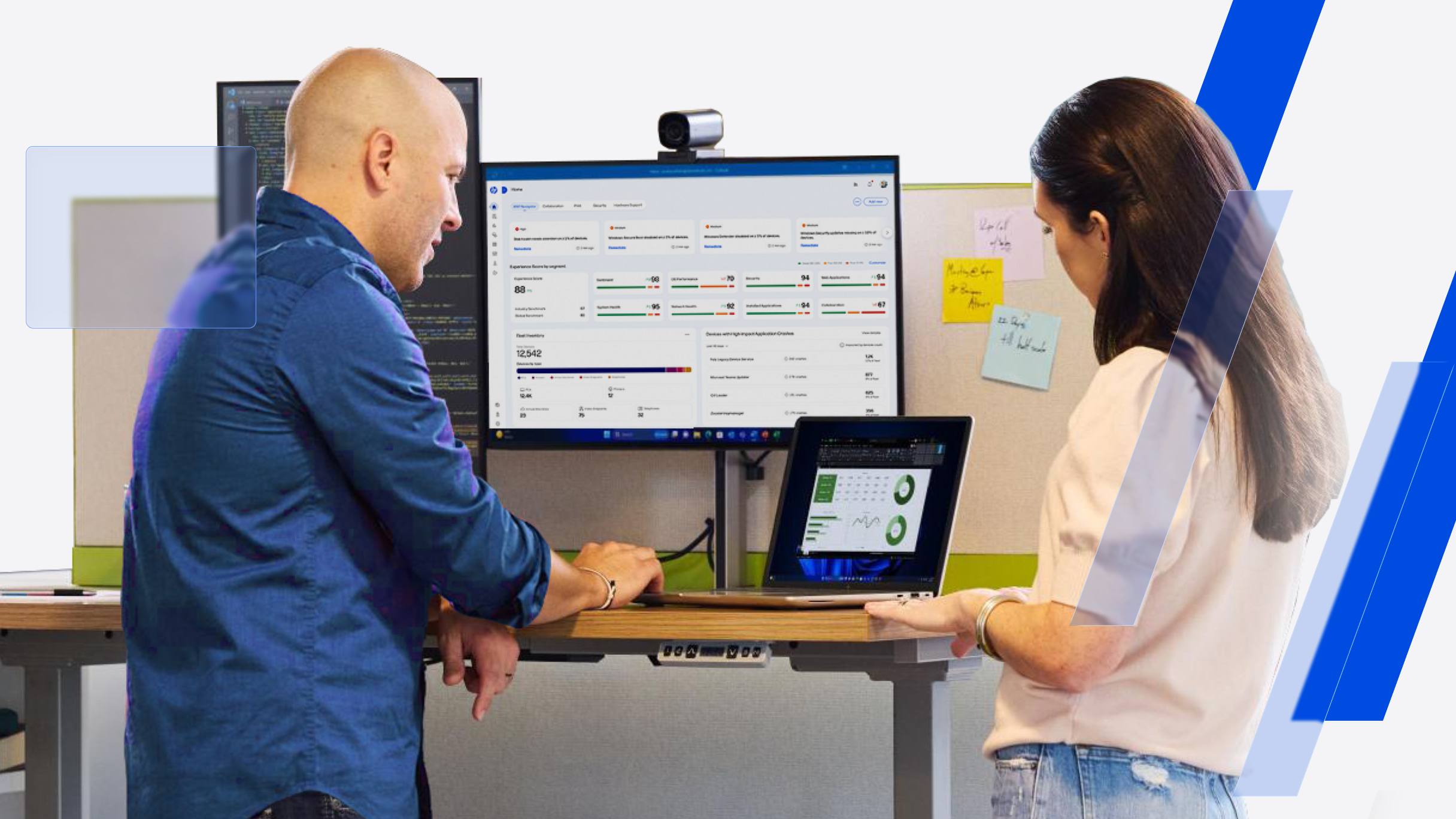
Eighteen months post-launch, HP WXP demonstrates key strengths and validated market impact. Here’s a wider view of how we fit and where we’re going next.
Eighteen months after launch, the HP Workforce Experience Platform (WXP)1 has evolved well beyond its starting point. Today, more than 5,000 customers use WXP, with the platform remediating more than 100 million issues annually across 5.56 million devices.
But scale only tells part of the story. WXP increasingly brings together digital employee experience, IT operations, automation, and fleet management in one platform, giving IT teams more ways to move from identifying and resolving problems to proactively planning and automating issue prevention.
And while we’re proud HP is the only OEM to have been recognized for leadership in digital employee experience management solutions by three major analyst firms, we’re even prouder that customers are seeing measurable results from WXP in their own environments.
Proactive maintenance benefits both operations and experience
WXP provides a level of proactive control that has proven invaluable to customers like Campari Group. The company’s IT team has been able to shift its efforts from fixing to preventing since implementing WXP, and estimates it has prevented 1,600 lost hours and 250 hours of downtime across its 6,000-wide fleet of devices.2
Campari Group is not alone in seeing this benefit. Our data indicates that a typical enterprise-scale organization (50K or more devices) using WXP can achieve a 30%-35% reduction in service desk tickets, leading to up to a 40% improvement in downtime reduction and a 45% improvement in overall Mean Time to Resolution (MTTR).3
Multi-vendor and multifunctional environments, managed consistently from one place
These remediations are served in a variety of ways across multi-vendor environments, with manual, guided, automated, and autonomous options selected by IT teams. In keeping with our philosophy of human-in-the-loop and enabling customers to align the platform implementation with their own policies, IT teams set their own approval requirements, pilot changes with selected groups, maintain role-based controls and a full audit trail, and validate with telemetry that each fix worked.
Enterprise IT environments don’t divide neatly by vendor, device type or management domain. Neither do your employees’ digital experiences. A platform intended to improve workplace experience therefore needs to work across heterogeneous environments.
As an OEM, we can offer deeper levels of intelligence and control for HP devices, but the vast majority of WXP’s functionality is vendor agnostic, providing a single view and control plane across a fleet of PCs from every major manufacturer. We extend this beyond PCs as well, with WXP Print and WXP Collaboration providing insight and management of printers and meeting spaces.4
We don’t believe the divergence of IT operations automation and digital employee experience is inevitable—IT teams should not have to choose between the two, nor do we think they should have to integrate yet another platform in the name of efficiency as their responsibilities expand.
In fact, the goals of streamlining operations and improving employee experience interact substantially. National Trust found implementing WXP resulted in a 51% reduction in blue screen errors, and the team was able to identify over 46,000 outdated drivers and 860 devices at risk of running out of disk space, allowing the team to remediate issues before they escalated to user frustration.
Automating routine and repeatable tasks ensures IT time is spent where it’s really needed
Recent efforts to build on this functionality in WXP include the recent launch of AI-driven remediations, which go beyond raising alerts to identify likely root causes of an issue and recommend appropriate fixes. Workflow Builder goes even further, empowering IT teams to automate repeatable tasks for a more consistent, predictable environment that frees up time to focus on strategic priorities and exceptional issues that require more expertise.
For example, standardized workflows can be used to help IT teams run regular configuration checks and proactively remediate drift to maintain compliance without diverting time and attention from other priorities.

Accurate usage data helps make better spending decisions
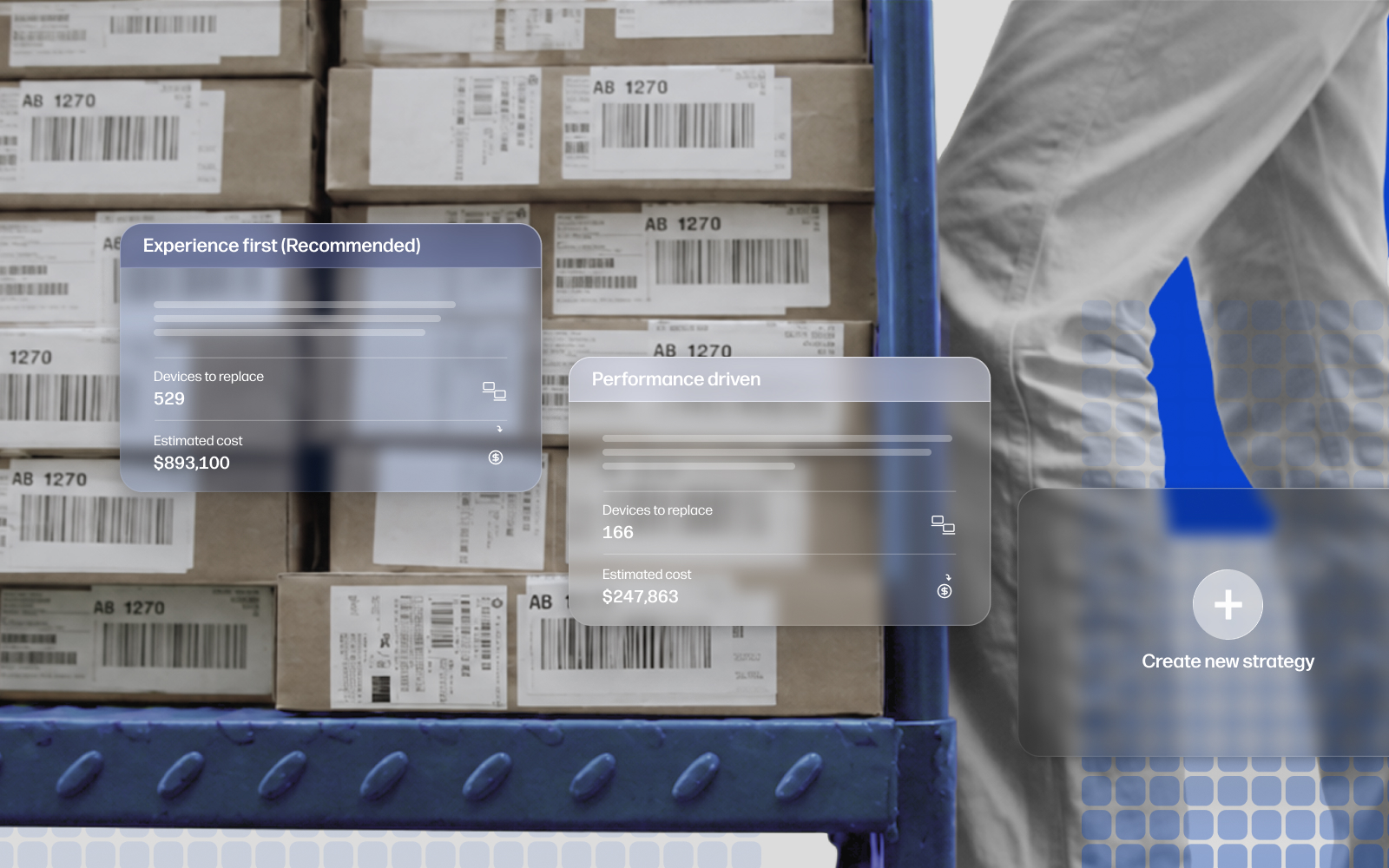
National Trust has also used WXP’s Smart Refresh tool to plan its hardware refresh cycles with both budget and sustainability in mind. The ability to leverage data on actual CPU and RAM usage to determine device specifications has enabled the team to identify where budget may be reallocated into high-performing devices more precisely where they’re needed.
Smart Refresh, which has recently been updated to provide more customization capabilities and the ability to switch between strategies to evaluate and align them with organizational priorities, has been a game-changer for many of our customers. Even within HP, shifting PC refresh to a performance-based strategy enabled the company to reduce planned spending by 40% while protecting the employee experience.
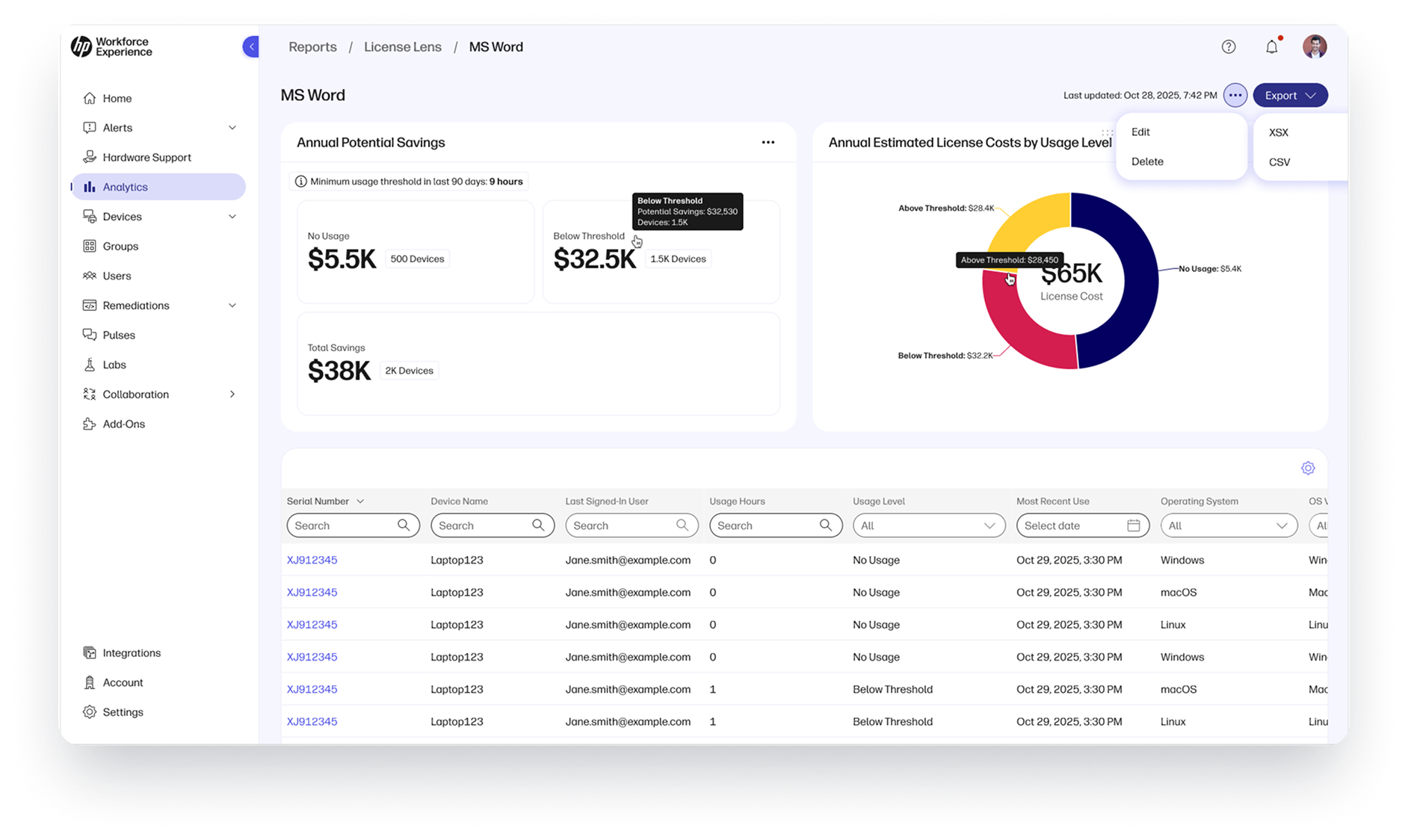
Based on a similar principle, the recently unveiled License Lens helps IT teams ensure their software spending is validated by actual usage, identifying underused software licenses for reallocation or elimination.
Built for enterprise security, governance, and scale
To responsibly serve enterprise customers at scale, there are basic requirements we take seriously, and that’s where security and compliance details come in. WXP has been designed to both maintain security and privacy and to support it in your device fleet. The platform architecture includes security controls to protect devices, platform services, communications, identities, and customer data, aligning with internationally recognized standards and compliance frameworks, including ISO/IEC 27001:2022, ISO/IEC 27001:2019, ISO/IEC 27017:2015, and SOC 2 Type 2.
WXP is hosted on Amazon Web Services (AWS) with regional environments in the United States, the European Union, and Australia to support data residency requirements. For more details on the platform’s security, please see our WXP Security Overview Knowledge Base article or reach out to a member of our team.
Looking ahead: Where we’re headed
Our aim with WXP is to maximize workforce productivity by eliminating digital friction that gets in the way of employees doing their best work. So, while we are proud the industry and our customers are recognizing the value of WXP, there’s more work to be done to make sure we continue to make technology experiences easier and more intuitive for employees and IT.
As our data lake continues to grow, WXP will find more patterns that identify more anomalies so we can create more automated remediations. We’re working with our hardware teams to get signals from more device components to see even more potential issues coming before they happen. Extending our partnerships with even more integrations so WXP plugs seamlessly into your existing infrastructure. And we’ll be helping with one of the top concerns we hear from customers every day—providing visibility and secure governance over AI workflows throughout their organizations.
Take a closer look
If you’ve not kept up with what’s new in WXP and would like a more extensive walkthrough, we’d be happy to help. Please reach out to your HP representative or partner, or complete the form below and we’ll be in touch.
Footnotes
3. Based on HP’s internal analysis of data collected between January 1, 2026, and July 31, 2026 across 4,447 customers and partners; 5,432,436 licensed active devices/seats; 10,564,954 telemetry events (including issues, alerts, and remediations) and 140 feature usage and clickstream metrics.
4. WXP Print and WXP Collaboration require additional licenses.
From the blog
The latest industry news, interviews, technologies, and resources.





Frequently asked questions
Here's everything you need to know about WXP.
- What is the HP Workforce Experience Platform (WXP)?
- How does WXP work?
- Can WXP be customized to fit specific business needs?
- How is WXP modular?
- Is WXP compatible with different vendors and operating systems?
- How does WXP integrate with other IT tools to provide a more comprehensive solution?
- What is a Workforce Experience score?
- How is AI used within WXP?
- How can I buy WXP and find out about new releases?