Data, not vibes: How to make smarter PC refresh decisions
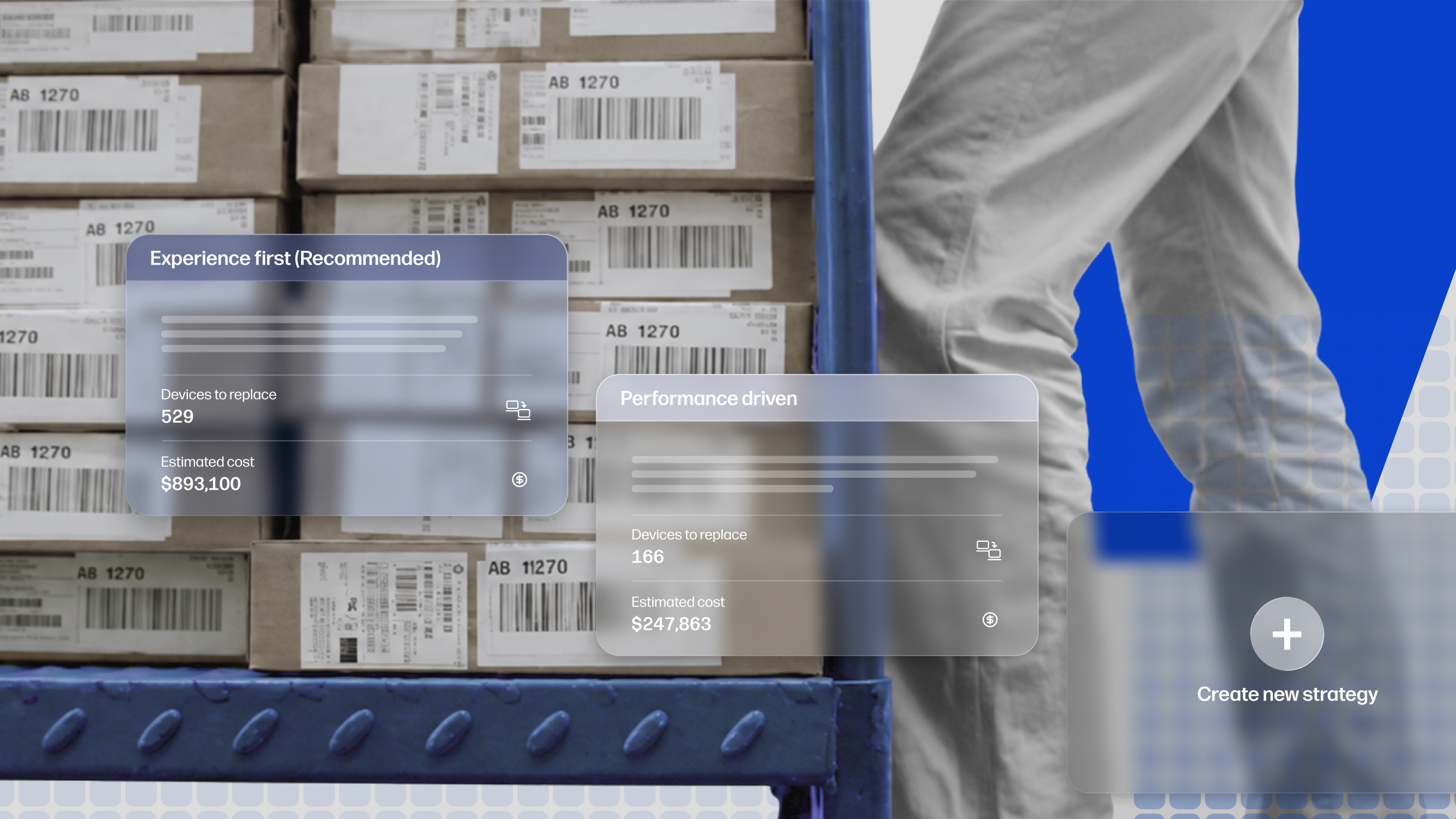
Smart Refresh steps up to fill the gaps in your PC lifecycle planning, helping balance cost, risk, and productivity
With memory shortages leading to higher costs for device replacements, many organizations are looking for ways to save, and it’s not surprising that PC refresh cycles are getting a closer look – a recent report from Omdia found that more than half of IT teams are putting off replacements. But while this seems frugal, it may carry a larger cost to your organization as poorly performing devices slowly eat away the time, effort, and morale of your teams.
The challenge lies in knowing which devices need attention now, which can safely remain in service, and how to balance device longevity and employee productivity with budget constraints. When planning for PC refresh, IT teams need to consider:
- Device performance and health
- Memory pressure, market constraints, and ordering times
- Employee productivity impact
- Replacement costs
- Budget timing
- Sustainability goals
The newly improved and relaunched Smart Refresh in HP Workforce Experience Platform (WXP) helps optimize PC refresh planning by identifying which devices most urgently need to be replaced and recommending the best matching models to streamline procurement.
One of the most powerful aspects of Smart Refresh is that it aligns HP’s recommendations with customer outcomes rather than simply selling more hardware. The platform uses telemetry from devices already in service to determine where refresh investments will have the greatest impact. In some cases, that may mean extending the life of a healthy device instead of replacing it. In others, it may mean accelerating replacement for a device that is creating productivity risk.
The goal is not to refresh more PCs. The goal is to refresh the right PCs.
Based on feedback from our first release of Smart Refresh features, we have made significant improvements to provide better flexibility and utility for IT teams to choose device lifecycle management strategies based on their organization’s priorities.
Identify devices that truly need replacement
Age-based PC lifecycle management may be predictable from a workload and budgeting perspective, but it’s imprecise. Signs a device may need replacement include:
- Persistent memory pressure
- Frequent slowdowns
- Poor user experience feedback or complaints
Smart Refresh identifies which PCs need replacement based on actual data. This can extend the average lifecycle of your device fleet, reduce unnecessary spending and improve your overall sustainability over time.
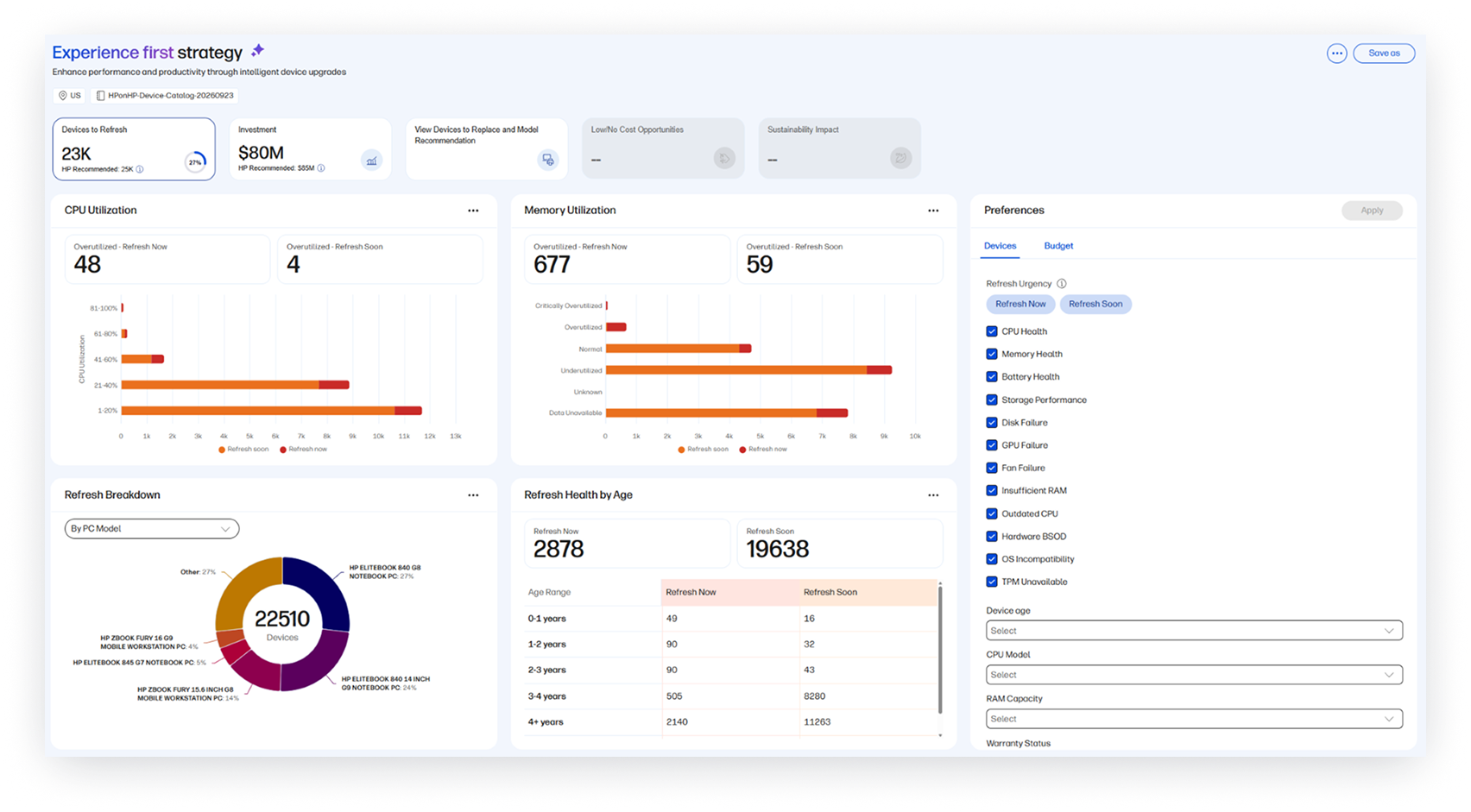
Improved modeling helps IT teams determine refresh urgency and optimize their schedule for replacements. Compared to the first version of Smart Refresh, the platform now provides enhanced reporting and improved device matching for recommended replacements.
Our new memory utilization report shows devices that are under memory stress, experiencing issues like slow application launches, delays in application switching, and reduced quality in virtual meetings, which affect employee experience and productivity. But WXP doesn’t just stop at utilization. It also gathers information on available memory, page faults, swap rates, disk latency, and usage trends over time, gaining a more sustained, accurate assessment of memory pressure to help inform replacement decisions.
Evaluate different replacement strategies with data
There’s no one right way to make refresh decisions, but without data, it’s difficult to evaluate what approach works best for you. The new version of Smart Refresh in WXP provides an improved ability to set custom refresh strategies and get the robust insights you need to implement them.
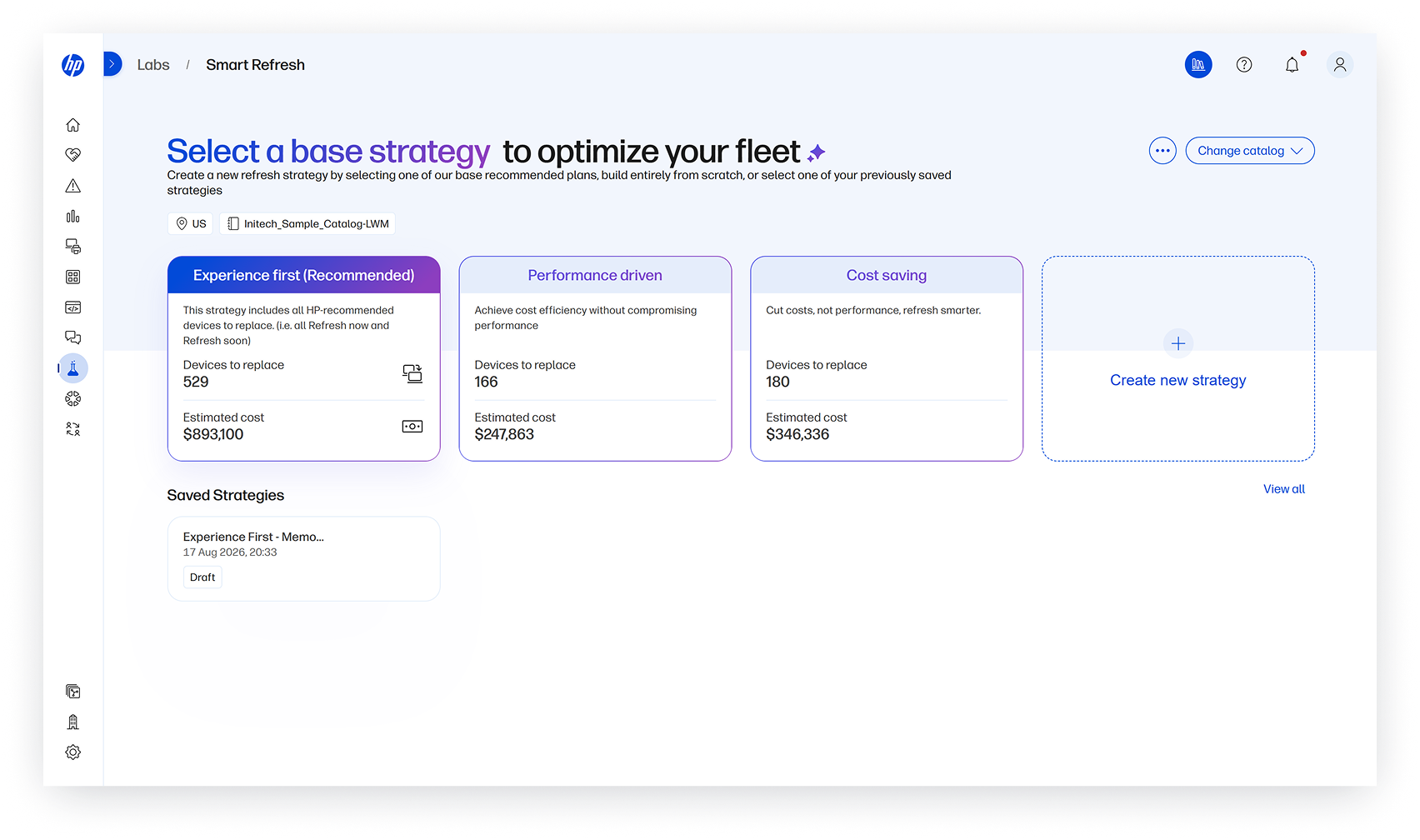
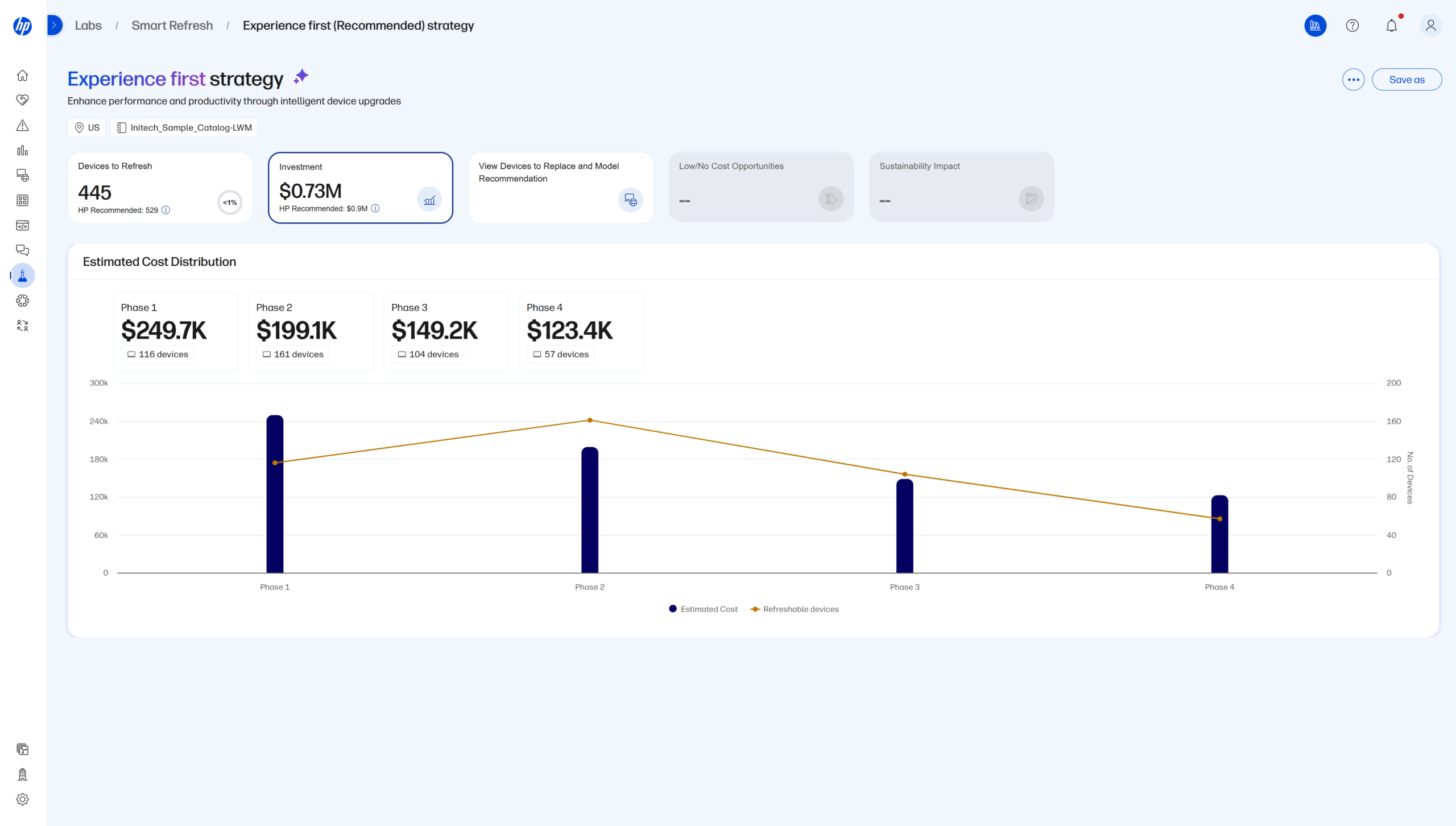
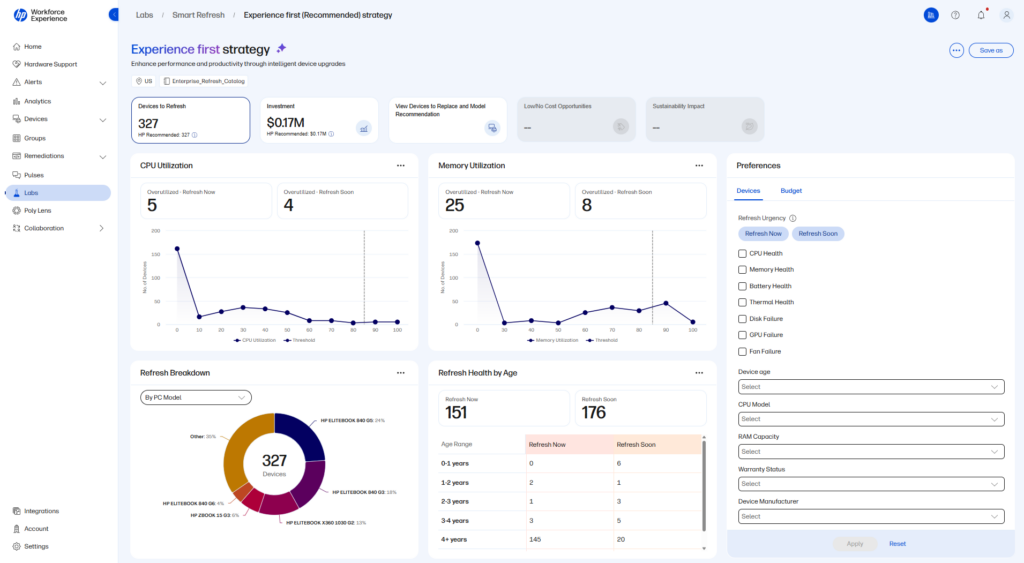
Build, customize, and compare different PC refresh strategies, starting with pre-defined strategy templates you can use directly or customize to align with your own requirements. Choose to optimize for performance, experience, or cost management outcomes, and get the insights you need to determine which strategy works best for you.
This enables IT teams to set strategic cost and sustainability targets for device replacements, while maintaining visibility into device performance and intervening as required to replace devices that threaten to disrupt productivity.
Align and adjust strategies with priorities
Pure performance-based refresh can occasionally present challenges in budget management, particularly where expenditures are allocated over time and cannot be shifted from one period to another. Budget and multi-phase planning allows you to conform to those expectations, allocating budget to plan against annual, quarterly, or monthly spending targets. Refresh urgency scores rank devices recommended for replacement within the next quarter against those that can be postponed with less risk.
Even the best-laid plans need to be reviewed and adjusted as organizational priorities change. Switch between strategies and adjust parameters on the fly to evaluate the impact of the changes on your risk level and your budget.
To streamline and standardize procurement in the refresh process, upload a custom catalog of replacement devices. WXP Smart Refresh uses the catalog to provide an accurate forecast of replacement costs for budgeting and cost management, and it simplifies ordering by recommending the best matching device.
Proactively prevent workforce productivity loss
Let’s face it—if employees start to experience frequent device failures or slowdowns that disrupt productivity, no one’s going to be impressed with your so-called optimized refresh strategy. Protecting the experience and productivity of your workforce is the most basic requirement.
WXP provides monitoring and visibility into device performance and flags issues so that you can intervene before devices fail and disrupt work, no matter how old they are. If an employee’s device shows signs of imminent failure before its expected lifecycle is reached, it can be identified for replacement even without requiring action from the user, and potentially before it fails completely and interrupts productive time.
Make your PC refresh process smarter
Using WXP to shift from an age-based to a performance-based PC refresh strategy enabled HP to reduce planned spending by 40% while protecting the employee experience, according to Todd Koziel, global head for the HP-on-HP program. When hardware costs, workforce expectations, and budget pressures all seem to be moving in conflicting directions, data-driven planning can help focus your investments where they will make the most impact.
Smart Refresh is integrated into WXP Pro and Elite plans. With the latest version of the feature, we have made it easier to navigate, simplified the overall workflow, and included:
- Advanced refresh urgency model to identify devices for replacement
- Improved replacement recommendations for better device matching
- Predefined refresh strategies to get you started without heavy setup requirements
- Custom refresh strategies to provide flexibility in policies
- Budget and priority alignment to enable planning within financial and business constraints
To learn more about how WXP can help you manage your PC lifecycle program more efficiently, watch the demo below, contact your HP representative, or reach out to us using the contact form.
From the blog
The latest industry news, interviews, technologies, and resources.




Frequently asked questions
Here's everything you need to know about WXP.
- What is the HP Workforce Experience Platform (WXP)?
- How does WXP work?
- Can WXP be customized to fit specific business needs?
- How is WXP modular?
- Is WXP compatible with different vendors and operating systems?
- How does WXP integrate with other IT tools to provide a more comprehensive solution?
- What is a Workforce Experience score?
- How is AI used within WXP?
- How can I buy WXP and find out about new releases?